How do I add Skills to teams?
Last updated: May 25, 2026
Team Owners and Team Admins can allocate Skills from the Skills Library to specific teams.
ℹ Skills aren't enabled by default. If you'd like Skills built specifically for your organisation, email support@ovida.org.
Who can do this
Only Team Owners and Team Admins can allocate Skills. Only those roles see the Skills Library tab.
If you want someone else on your team to manage Skills, change their role to Admin first.
Steps
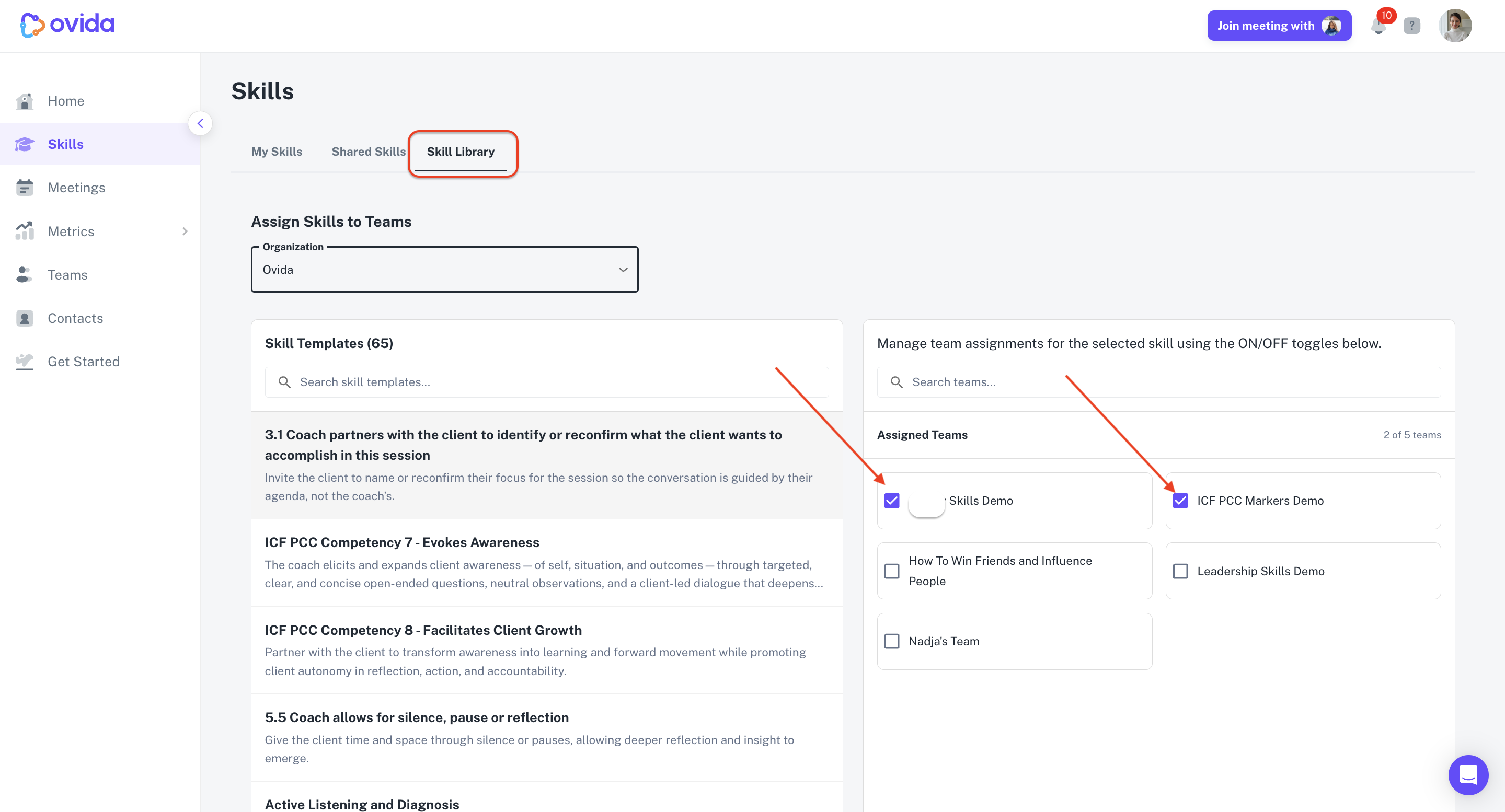
Go to Skills > Skills Library.
Select the Skill you want to allocate.
Use the on/off toggle to assign the Skill to the team.
Once a Skill is assigned to a team, all members of that team can see and start it from their My Skills page.