How do I filter moments in a meeting?
Last updated: May 25, 2026
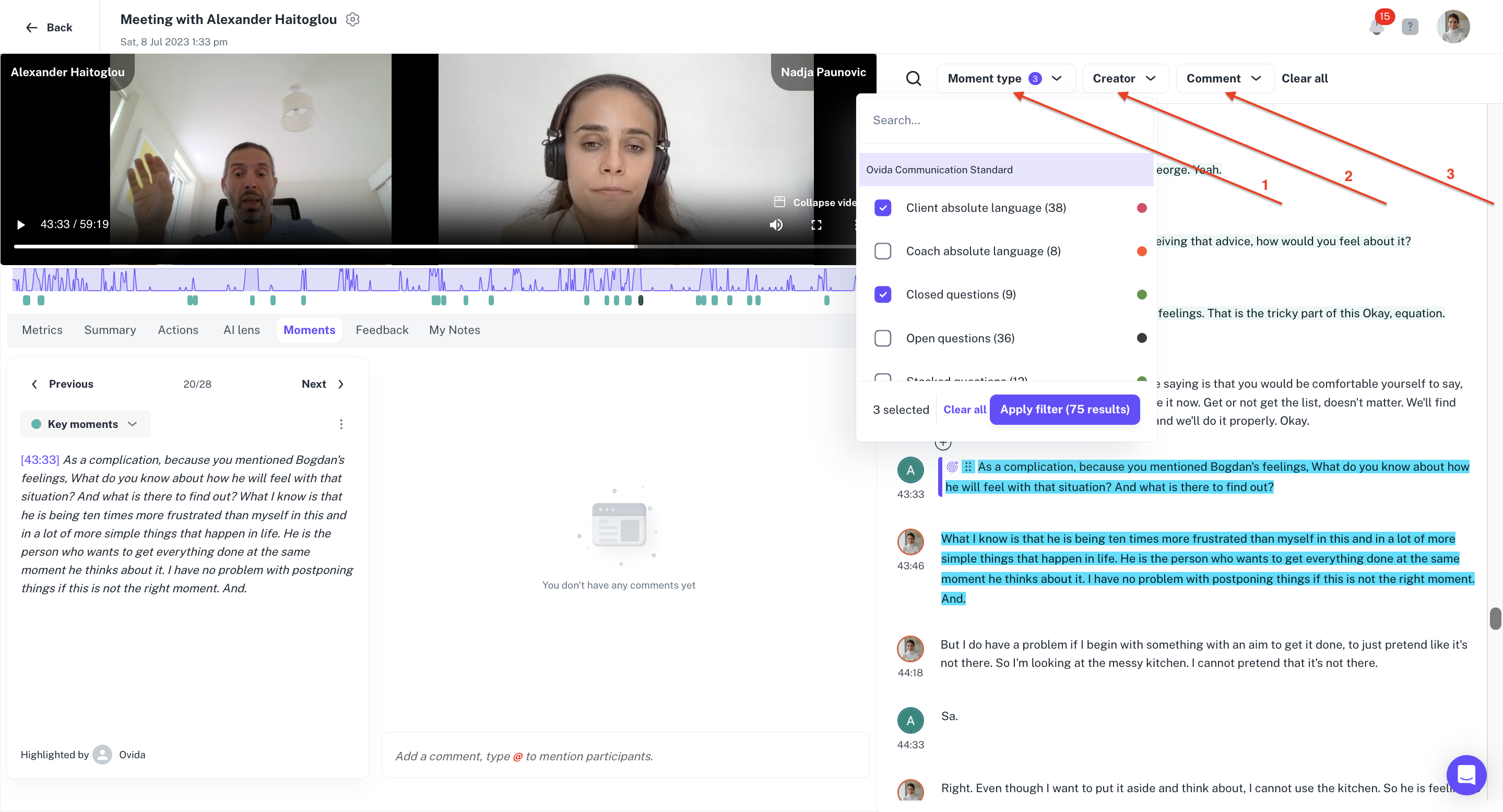
Use the filter controls on the Moments tab to focus on specific types of moments, moments added by a specific person, or moments with comments attached.
Ovida's analytics surface every meaningful segment of a meeting as a moment — a question, a pause, a shift in pace, or some combination. Filtering helps you cut through the noise and jump to the moments that matter most for your review.
The three filters
Moment type — search through the different types of moments detected (key moments, open questions, stacked questions, and so on).
Creator — filter by the person who created the moment. Useful when a teammate has added an important moment the AI didn't catch.
Comment — show only moments that have comments attached.
For details on the different moment types, see "What's on the Moments tab?"