How do I create a moment by pressing the spacebar?
Last updated: May 25, 2026
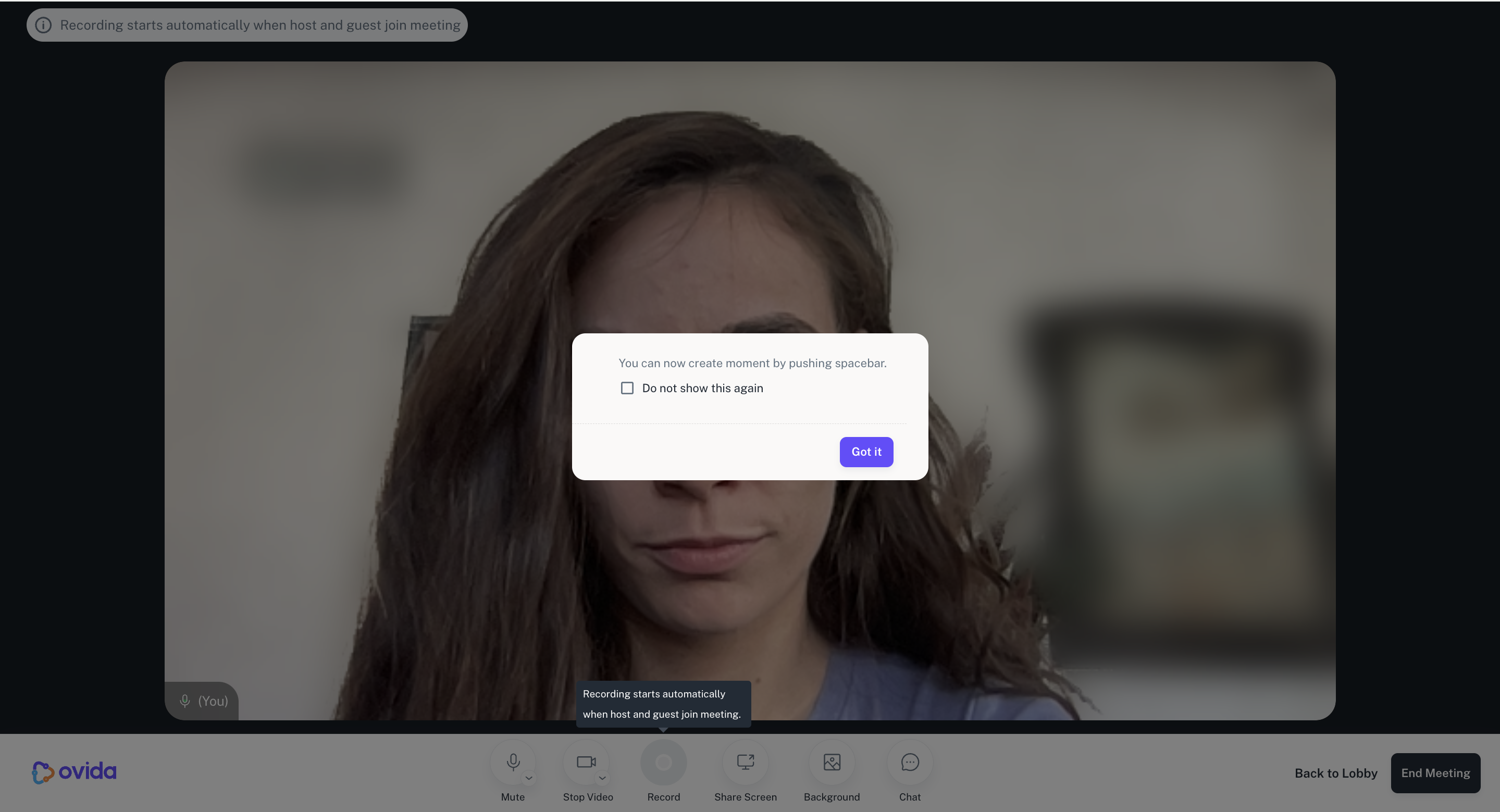
Press the spacebar during a meeting to mark a moment without alerting your guest.
Conversations contain moments that matter — a shift in tone, a hesitation, a breakthrough. Instead of taking notes (which can distract you or your guest), you can mark moments discreetly by pressing the spacebar during the meeting.
How it works
Press the spacebar at any point during the meeting to mark a moment. Your guest sees nothing.
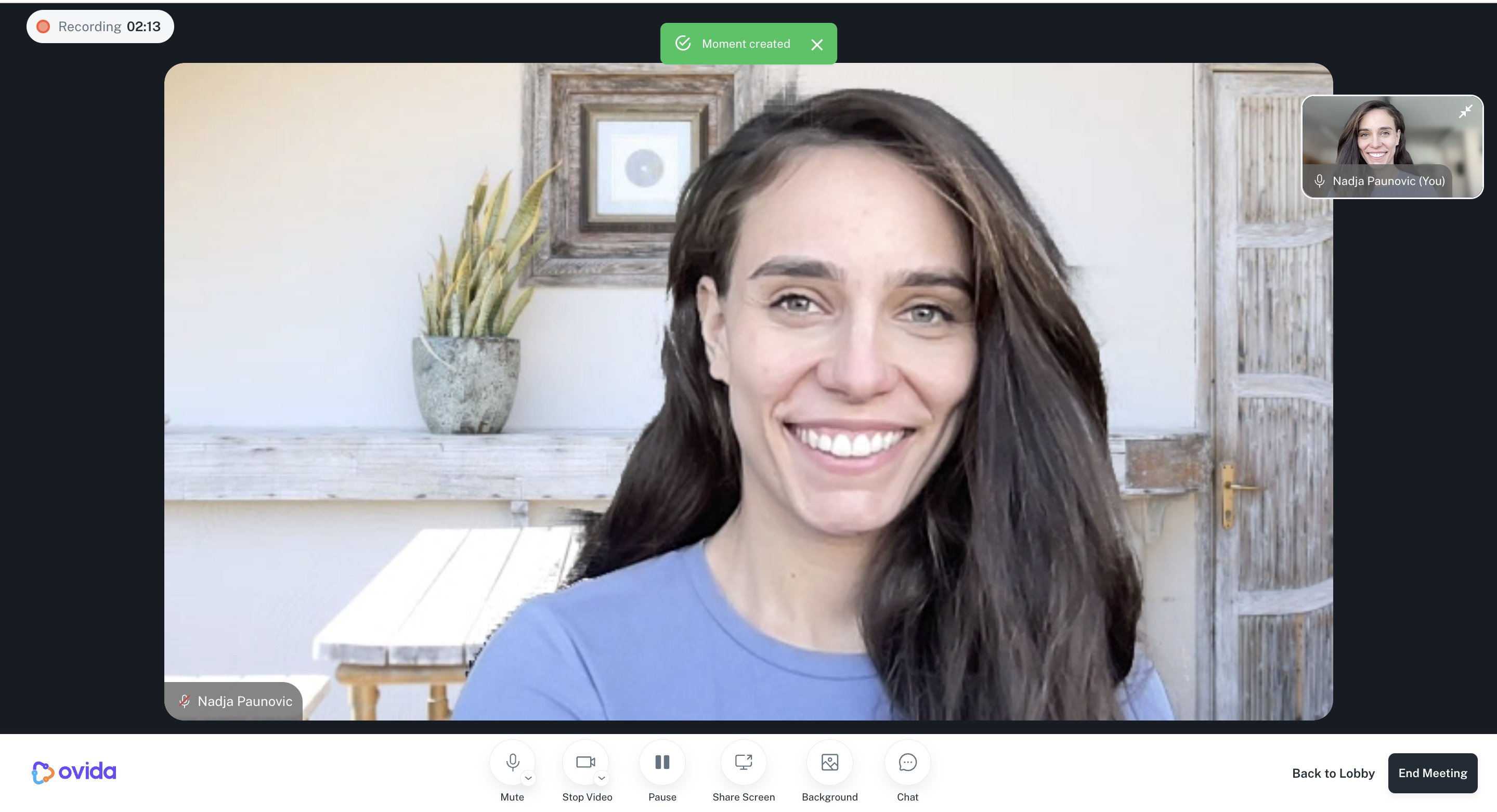
You'll see a small toast notification confirming the moment was created.
Where to find these moments after the meeting
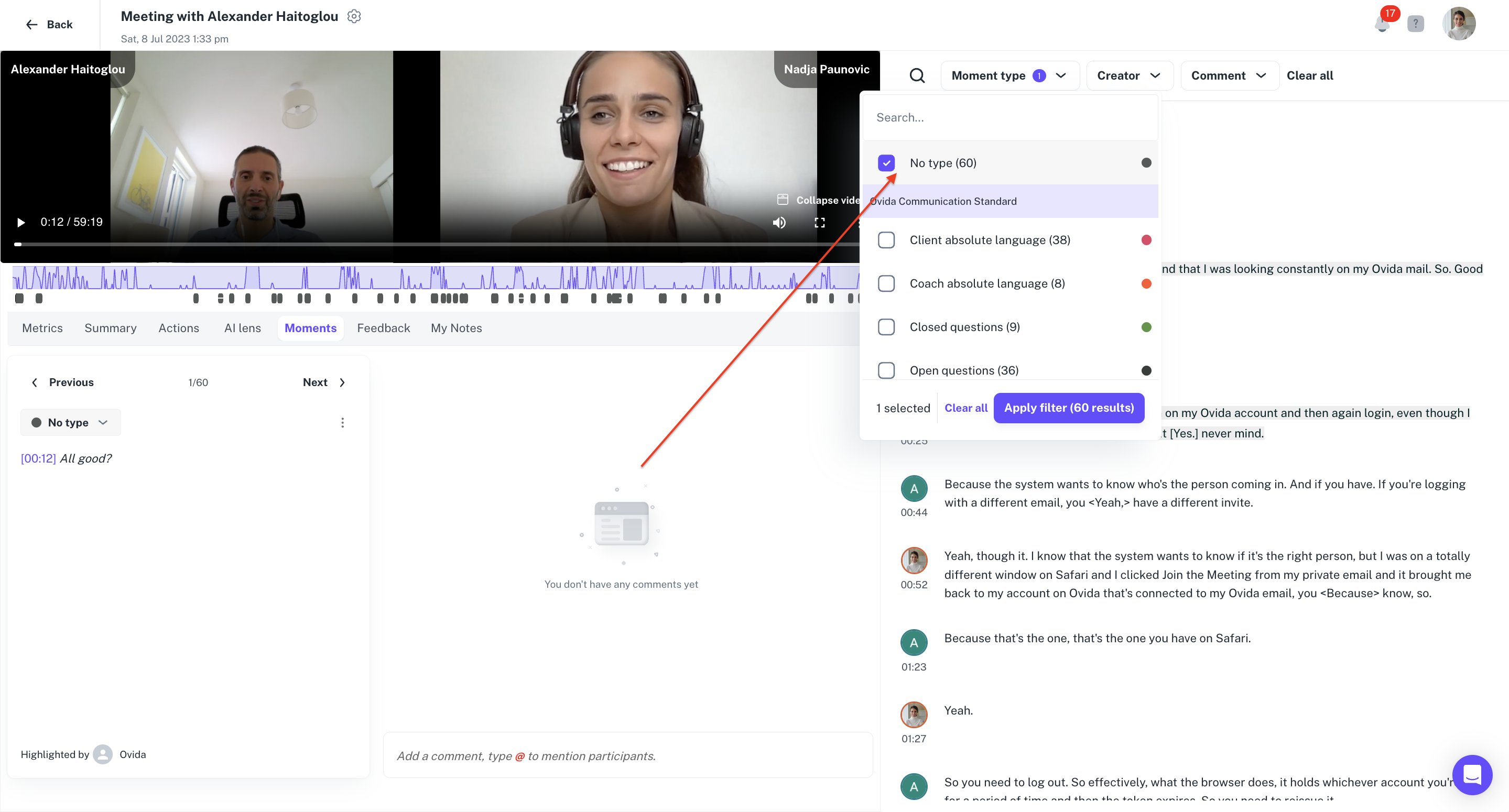
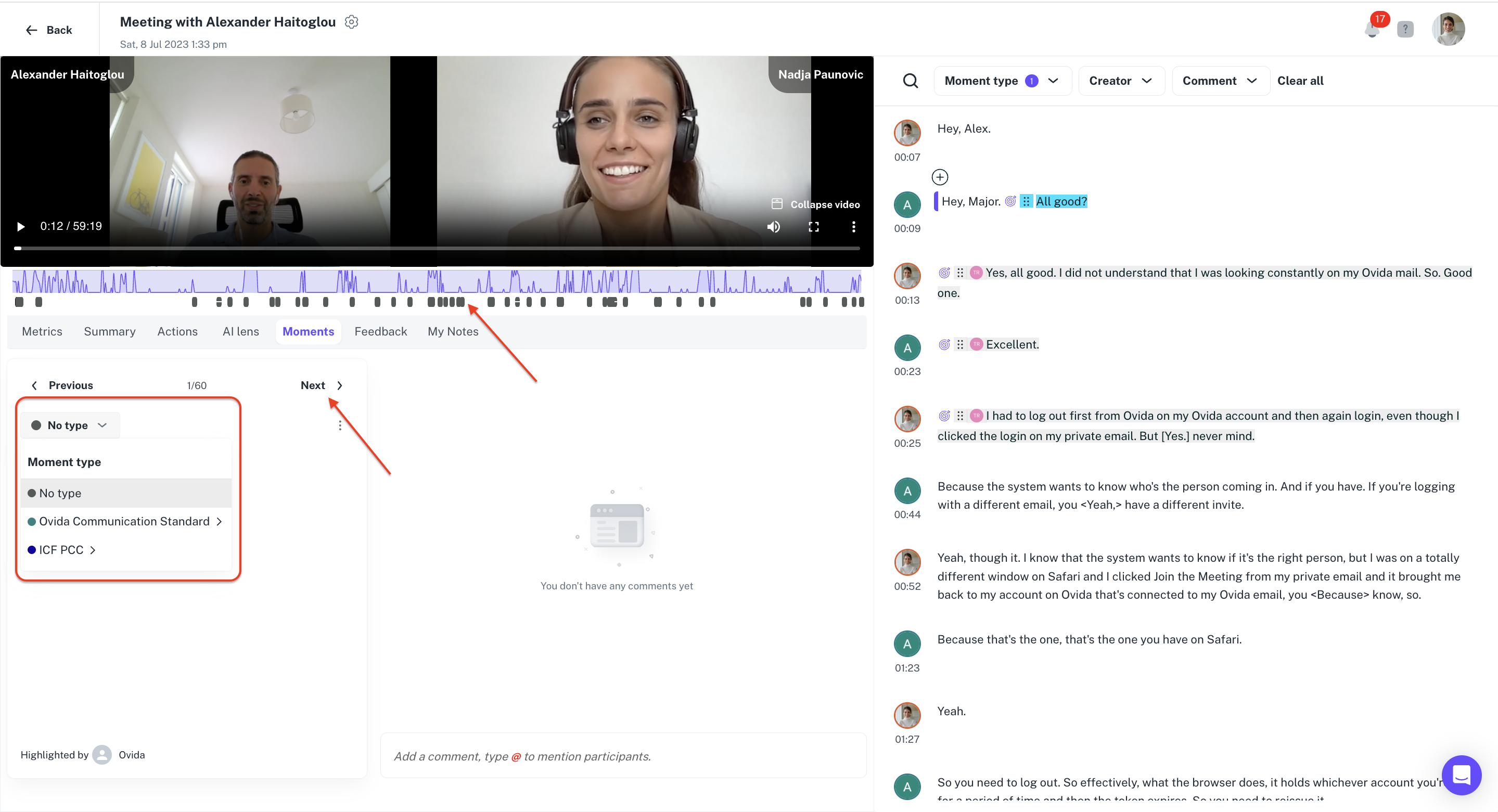
After processing, your spacebar-created moments appear in the Moments filter as no type. You can:
Filter and label them by category (key moments, open questions, stacked questions, and so on)
Leave them as "no type" if you prefer
To review them, use the toggles below the video or the previous/next arrows.
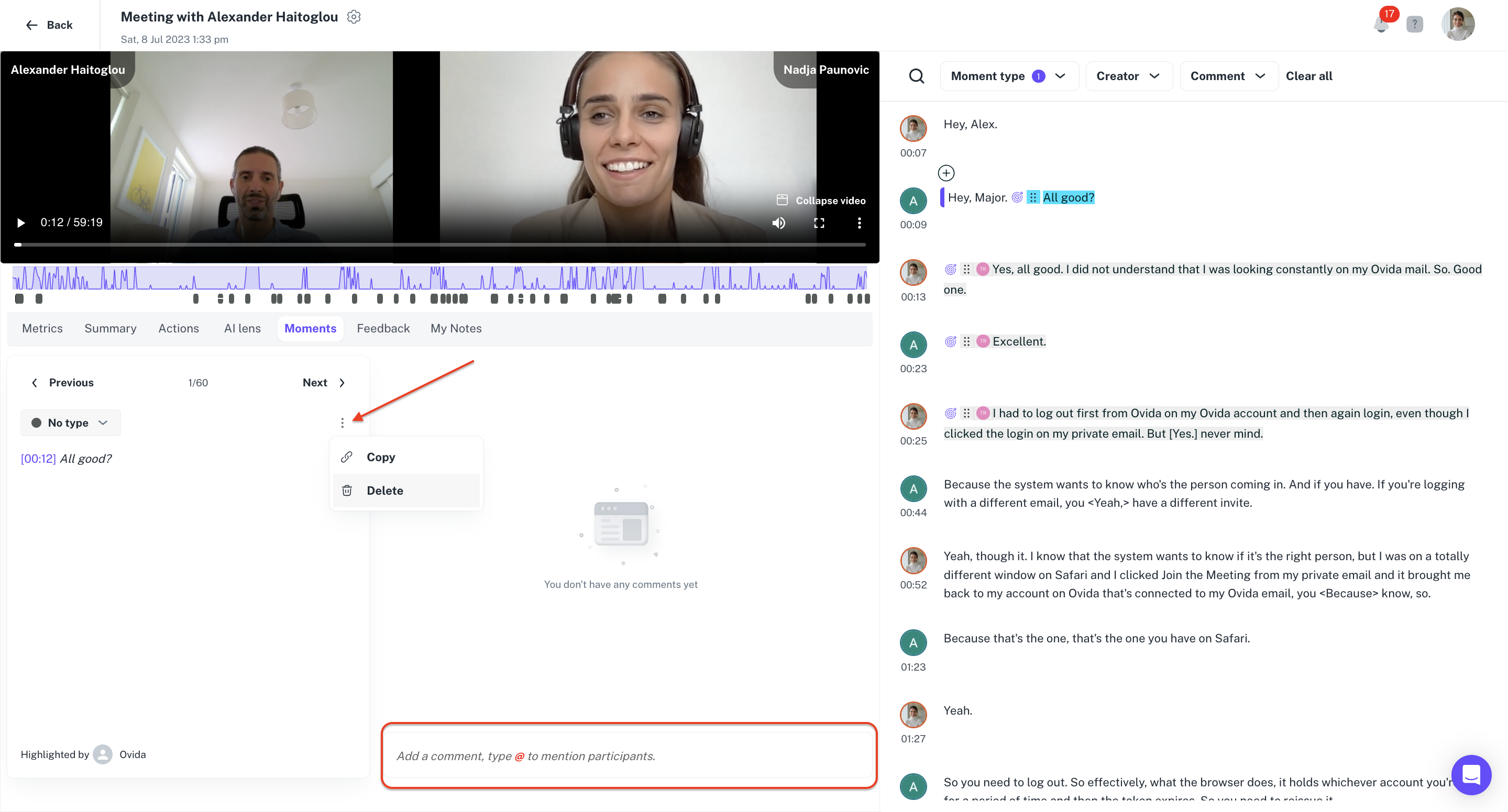
Comment or delete
You can add comments to these moments or delete them, just like any system-generated moment.