Where can I find my invoice?
Last updated: May 24, 2026
Invoices arrive by email and are also available in your account.
After each billing cycle or purchase, Ovida emails an invoice to the address on your account. The subject line is usually "Ovida invoice", which makes it easy to spot. If you don't see it, check your spam or junk folder.
Find invoices in your account
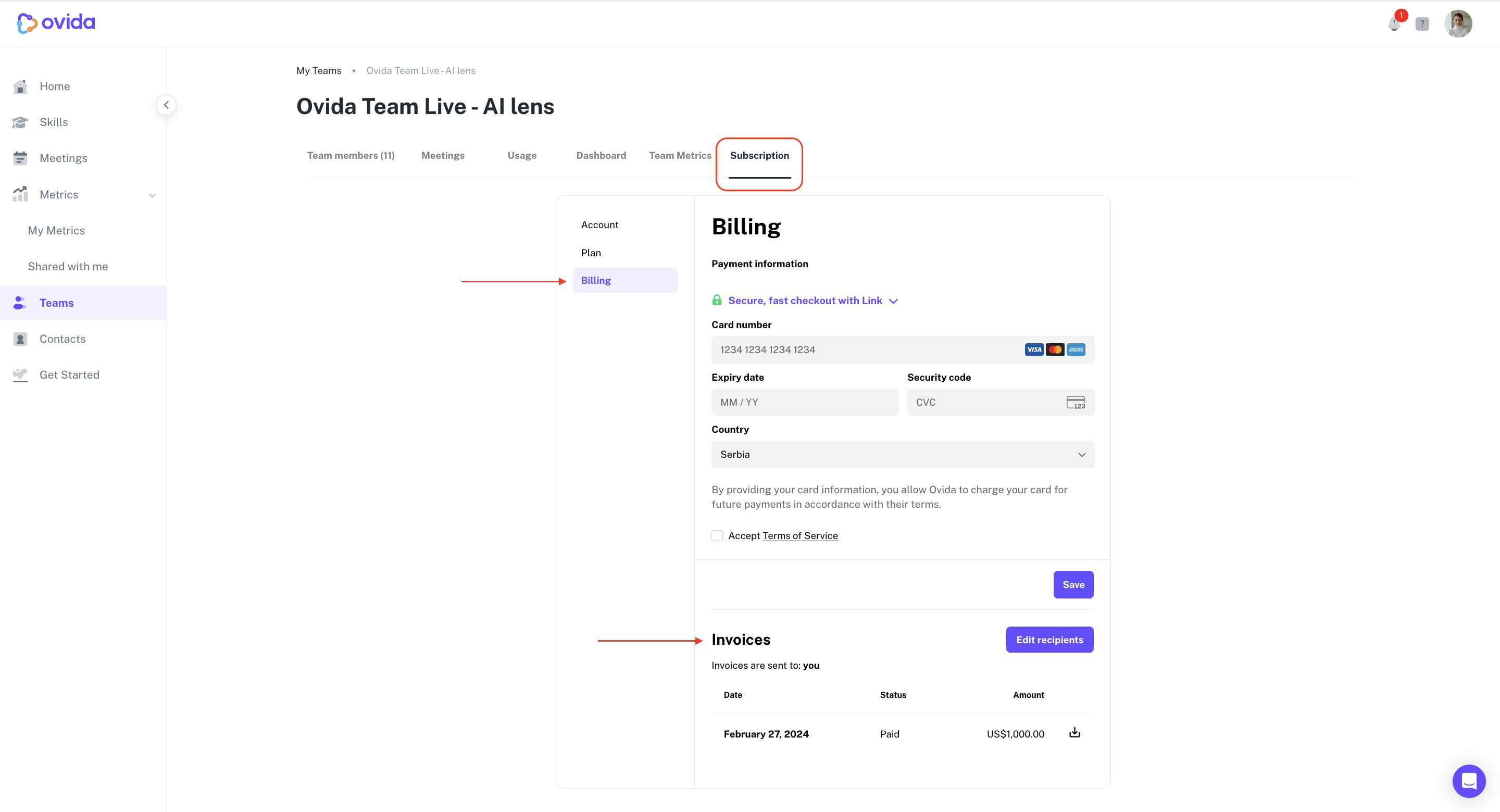
If you can't find the invoice in your email, you can download it from your account.
Go to Teams > your team > Subscription > Billing, then look for the Invoices section. You'll see a list of past invoices organised by date, and you can download any of them directly.
If you still can't find what you need, contact support through the help widget in the lower-right corner of the app, or email support@ovida.org. We can resend any invoice you need.