How do I pause and resume recording during a meeting?
Last updated: May 25, 2026
The host can pause and resume recording during a meeting. Only the recorded parts are included in the AI analysis.
Not every moment in a meeting supports its purpose. Personal catch-up, sensitive topics, or a long goodbye can throw off your metrics or expose details you'd rather not include. Pause the recording for those moments, then resume when you're ready.
How it works
Recording starts automatically when both you and your guest have joined.
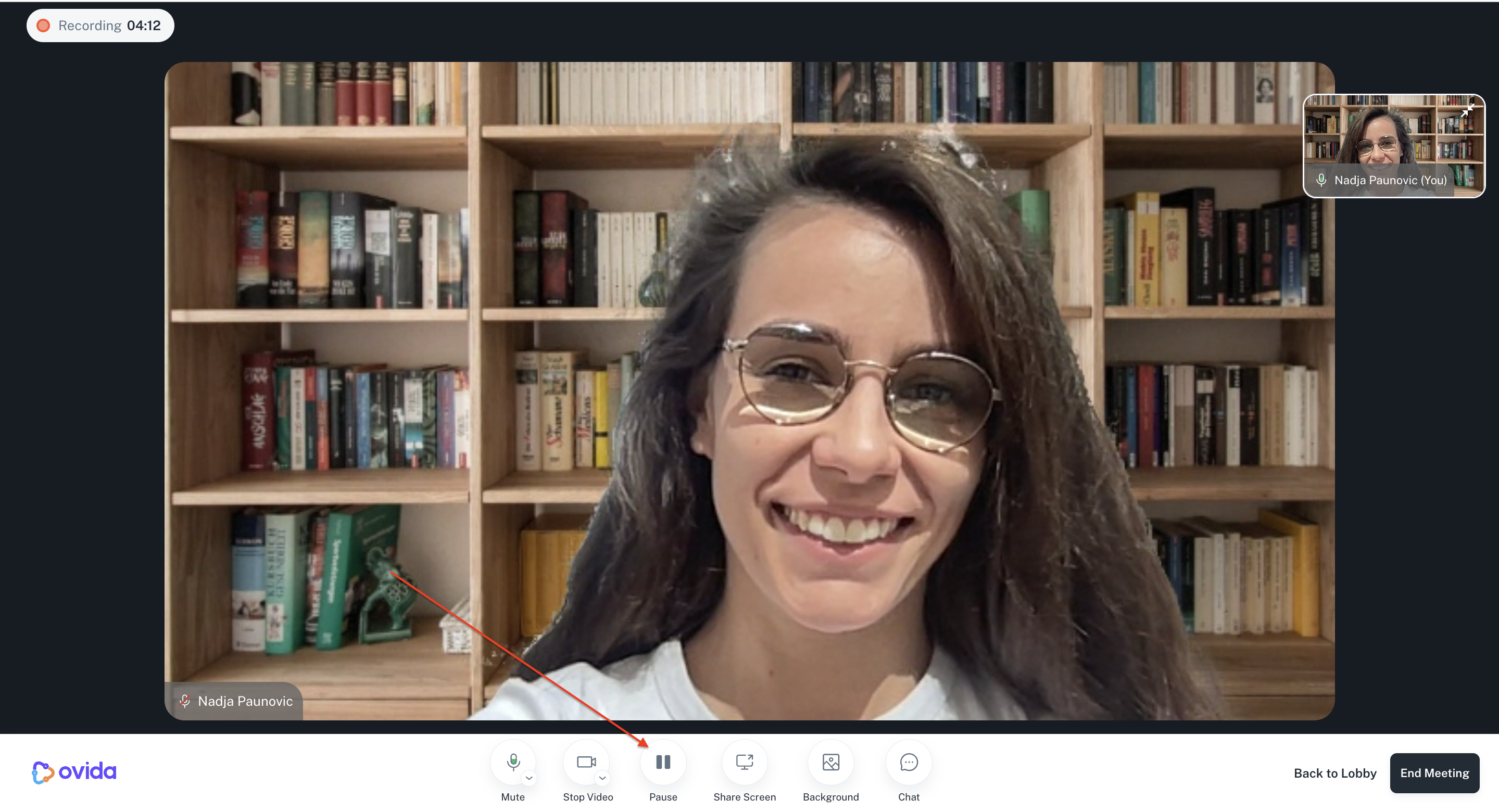
Both of you can see an elapsed time clock in the top-left of the screen showing how long has been recorded.
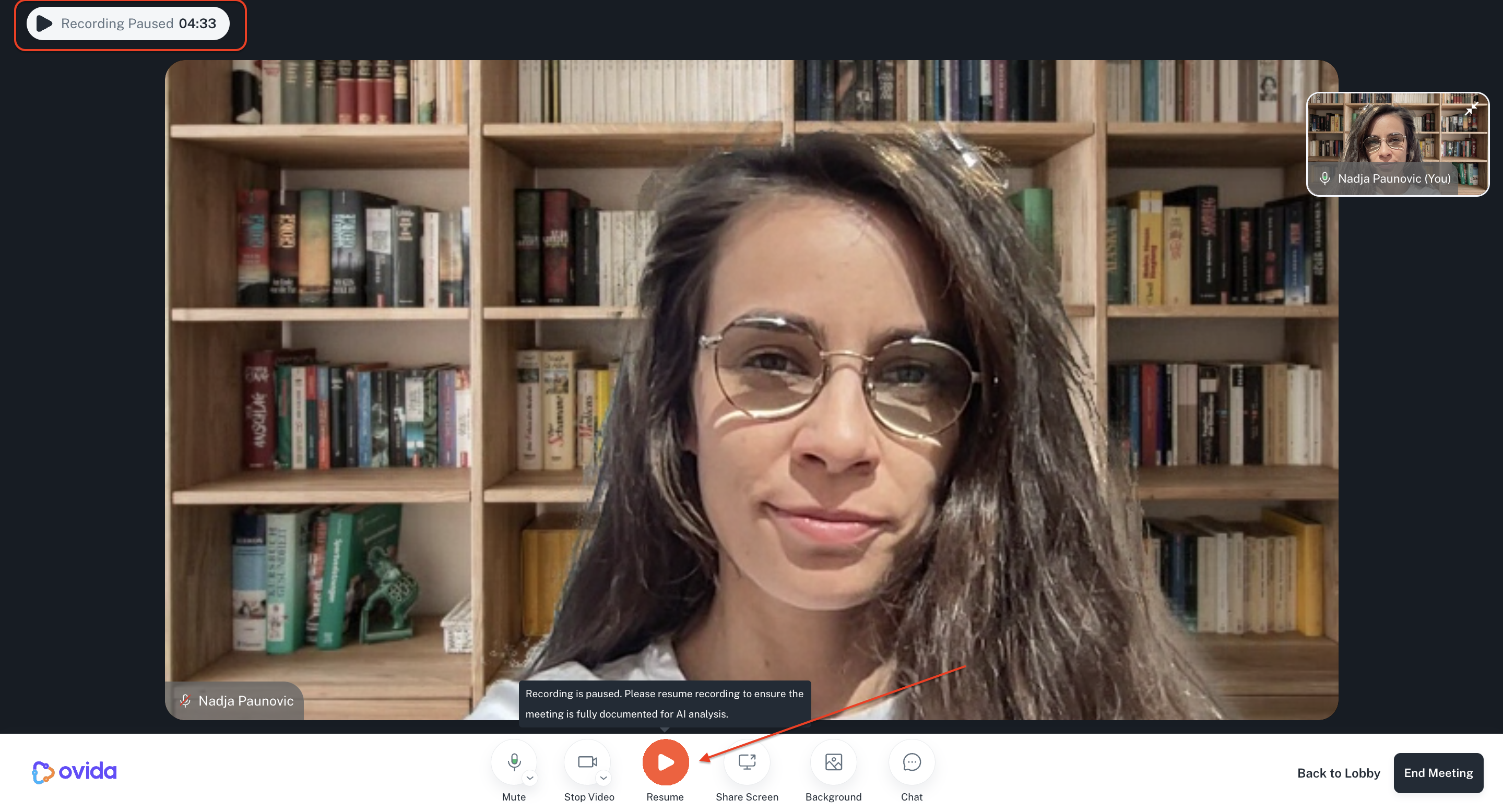
As the host, click the pause button to pause recording.
Both you and your guest see when recording is paused.
The guest can't pause or resume — only the host has that control.
Only the recorded segments are included in the AI analysis.