How do I end a meeting?
Last updated: May 25, 2026
The host clicks End Meeting. Both host and guest then get a one-minute grace period to discard the recording or send it for processing.
Ending a meeting doesn't automatically move the recording to processing. Both you and your guest have a one-minute window to confirm or discard it, giving every participant a real say in how the recording is handled.
Step 1: Host ends the meeting
The host clicks End Meeting. Two options appear:
End meeting — closes the room and starts the processing flow.
Resume meeting — cancels the action and returns everyone to the room.

Step 2: Save or discard
Once the host ends the meeting, both the host and the guest get a one-minute grace period. During this time, either of you can choose:
Save for feedback — sends the meeting for processing. A one-hour meeting typically takes about an hour to process. You'll get an email when the analysis is ready.
Delete permanently for all — deletes the recording immediately. The meeting isn't processed and isn't stored.
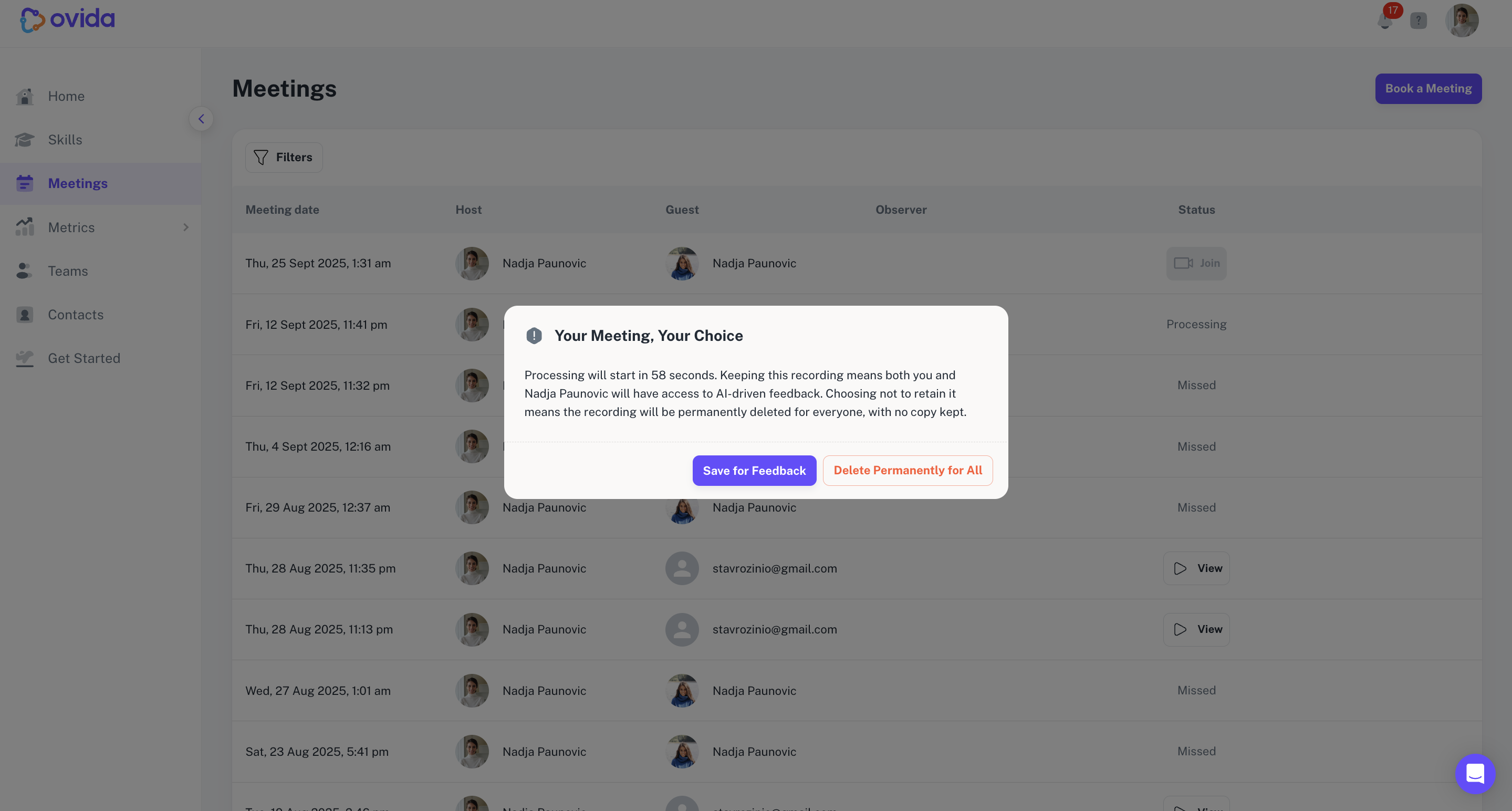
If neither of you discards within the grace period, the recording proceeds to processing automatically.