How do I cancel my subscription?
Last updated: May 24, 2026
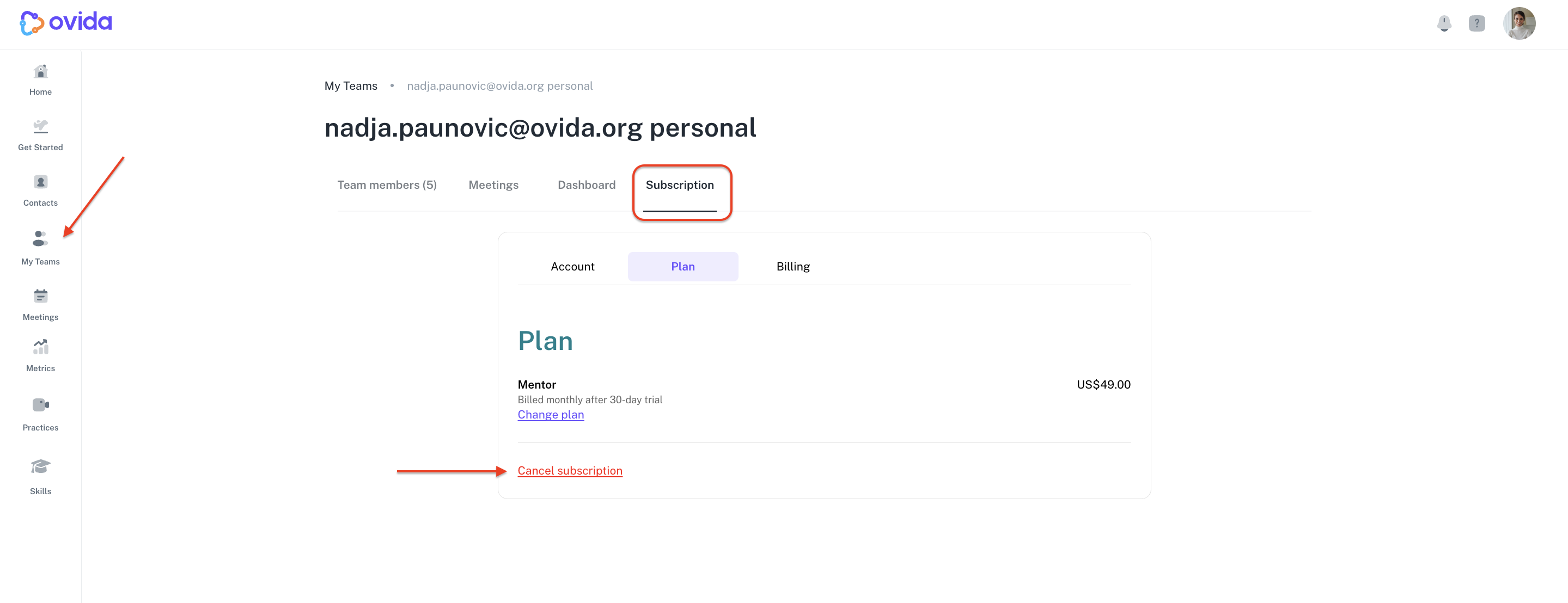
Cancel your subscription from the team's Subscription page at any time.
Go to Teams > your team > Subscription > Plan.
Click Cancel subscription.
If you have a moment after cancelling, we'd appreciate feedback on what we could have done better. You can share it through the form that appears after cancellation, or email support@ovida.org.