How does the Mentor plan credit system work?
Last updated: May 25, 2026
Credits, how they're used, and how to manage them on the Mentor plan.
ℹ The standalone Mentor plan is no longer available for new sign-ups as of February 2026. Credits will be phased out for existing subscribers when accounts transition to Business or Enterprise plans.
On the Mentor plan, credits are how you pay for AI analysis of meetings.
How credits work
You buy credits ahead of time. Each credit equals one hour of AI analysis.
When a meeting is submitted for AI analysis, credits are deducted based on the recorded meeting's length. A 32-minute meeting deducts 0.32 credits.
Your account has a flat monthly subscription cost charged at the start of each billing period, separate from credits.
Checking your credit balance
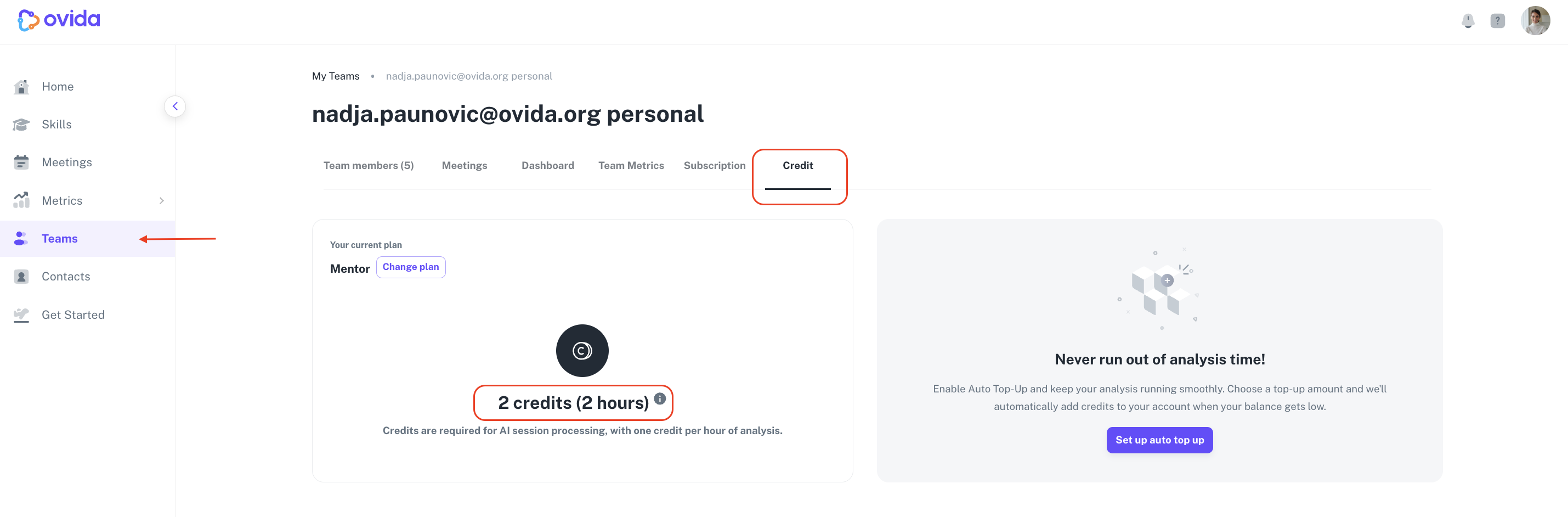
Go to Teams > your team > Credit to see your current balance.
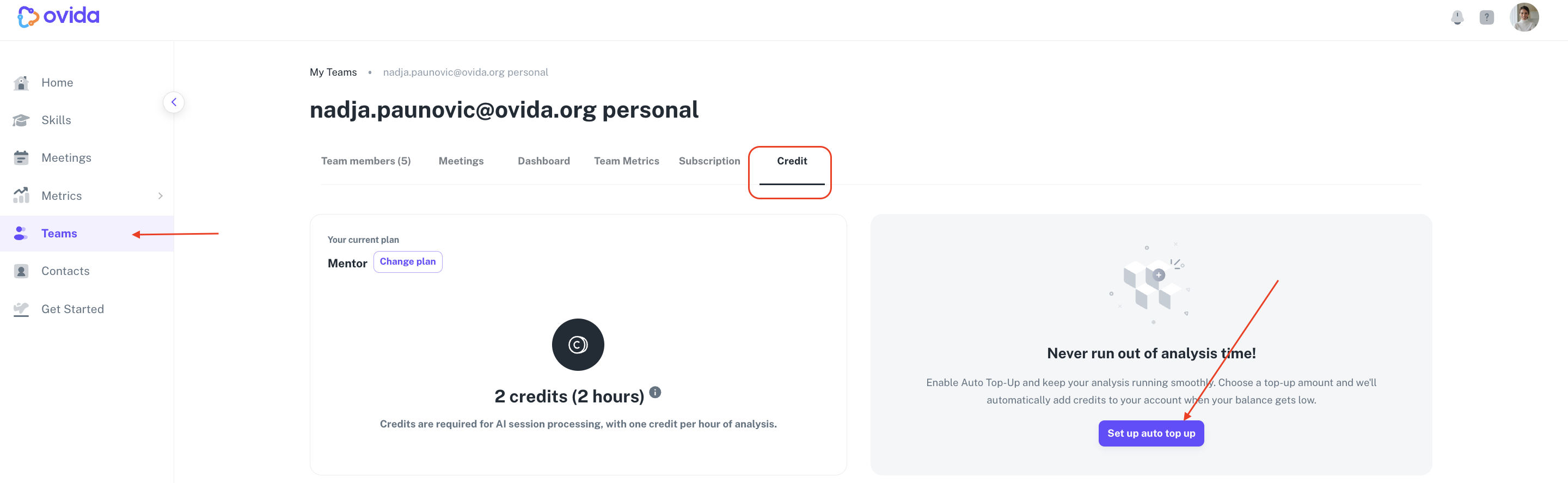
Setting up auto top-up
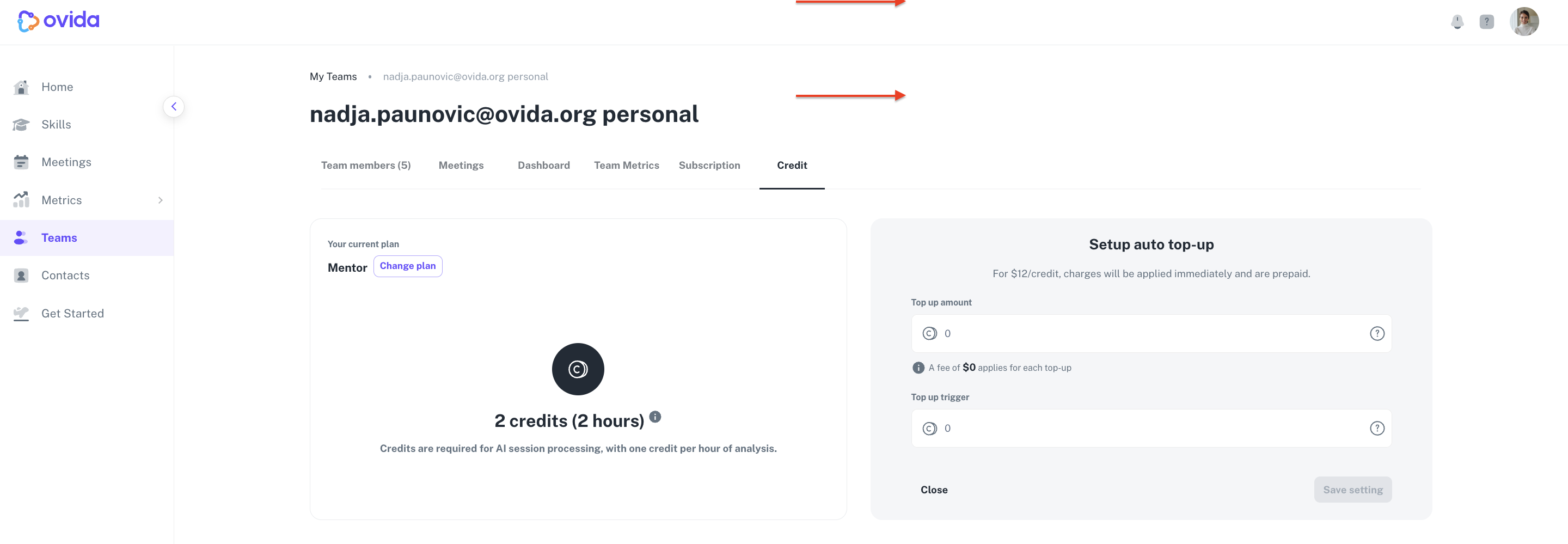
Auto top-up tops up your credits automatically when they drop below a threshold you set. To configure it, set:
Top-up amount. How many credits to add when auto top-up triggers.
Top-up trigger. The credit balance that should trigger the top-up.
What happens if your credits run out
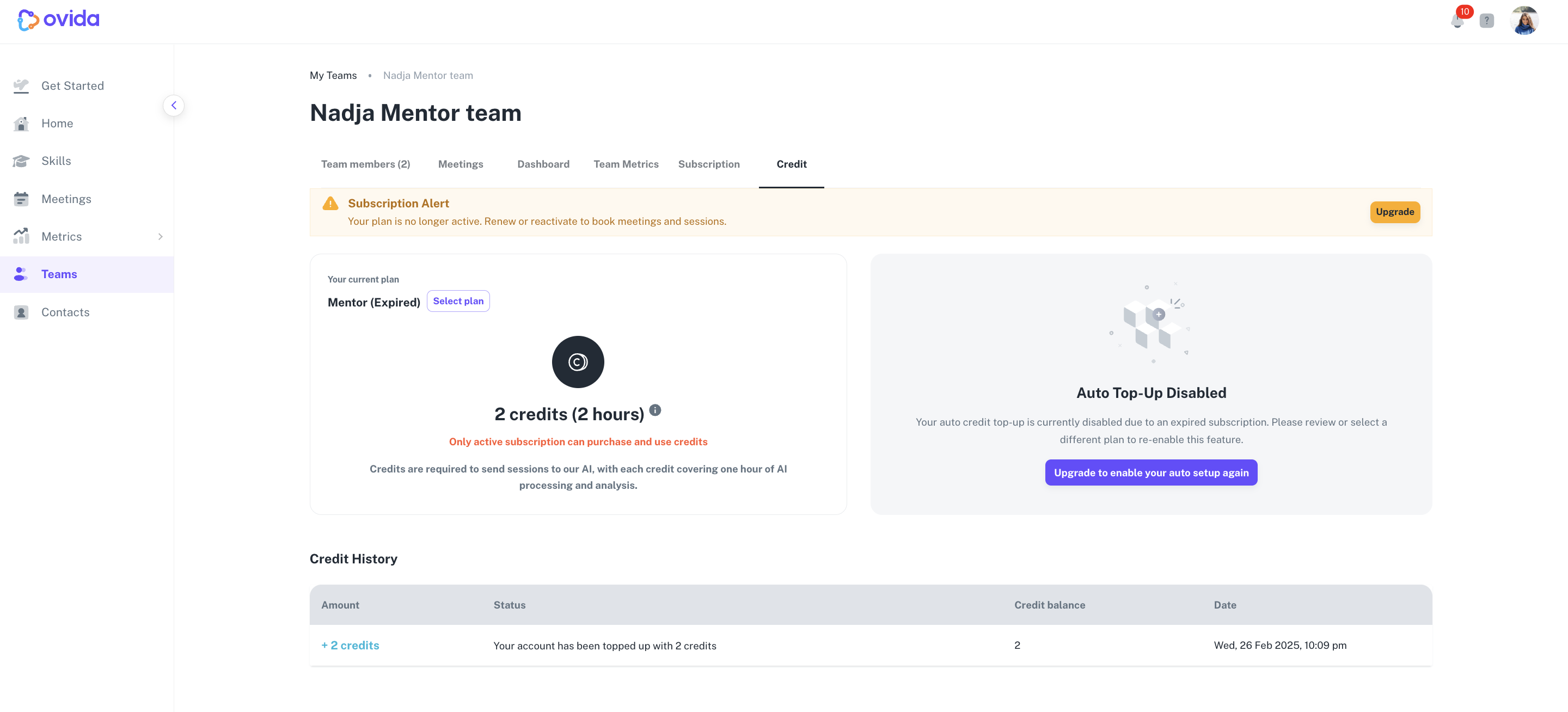
If your credit balance reaches zero, you and your team can't book or join meetings until credits are added.
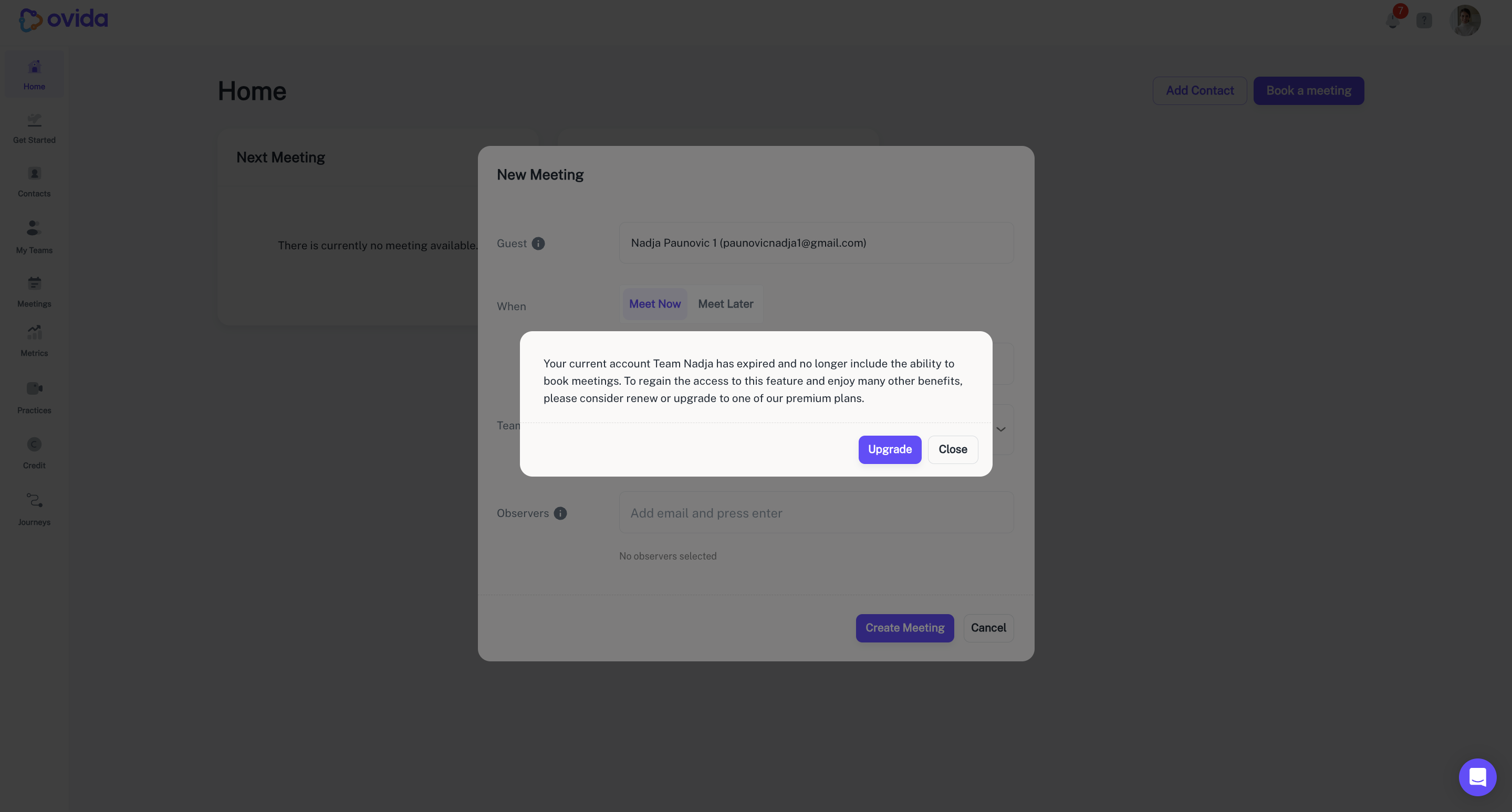
You may sometimes see a temporary negative balance if credits are used before the system processes the deduction. Auto top-up will correct this and bring your balance back above the trigger point.
Active vs expired subscriptions
Subscription state | What you can do with credits |
|---|---|
Active | Add and use credits as normal |
Expired | No new credits can be added or used. Remaining credits are frozen until you renew. |
To resume using remaining credits or reactivate auto top-up, renew your current plan or switch to a different one.