How do I change my billing information?
Last updated: May 24, 2026
Update your billing address or credit card from your team's Subscription settings.
You can change your billing address and credit card separately. Both live under your team's Subscription tab.
Change your billing address
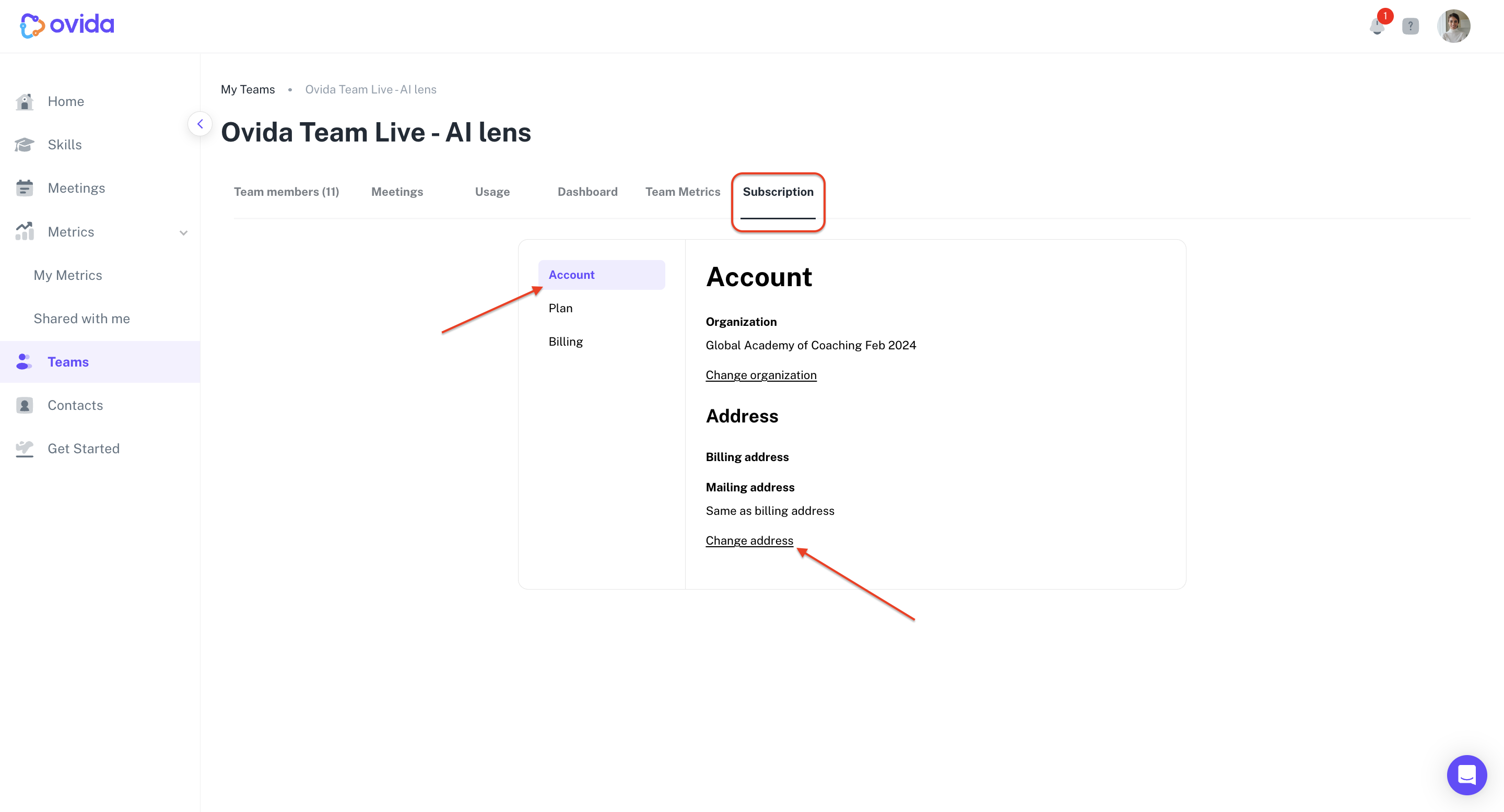
Go to Teams > your team > Subscription > Account.
Click Change Address, edit the details, and click Save.
Change your credit card
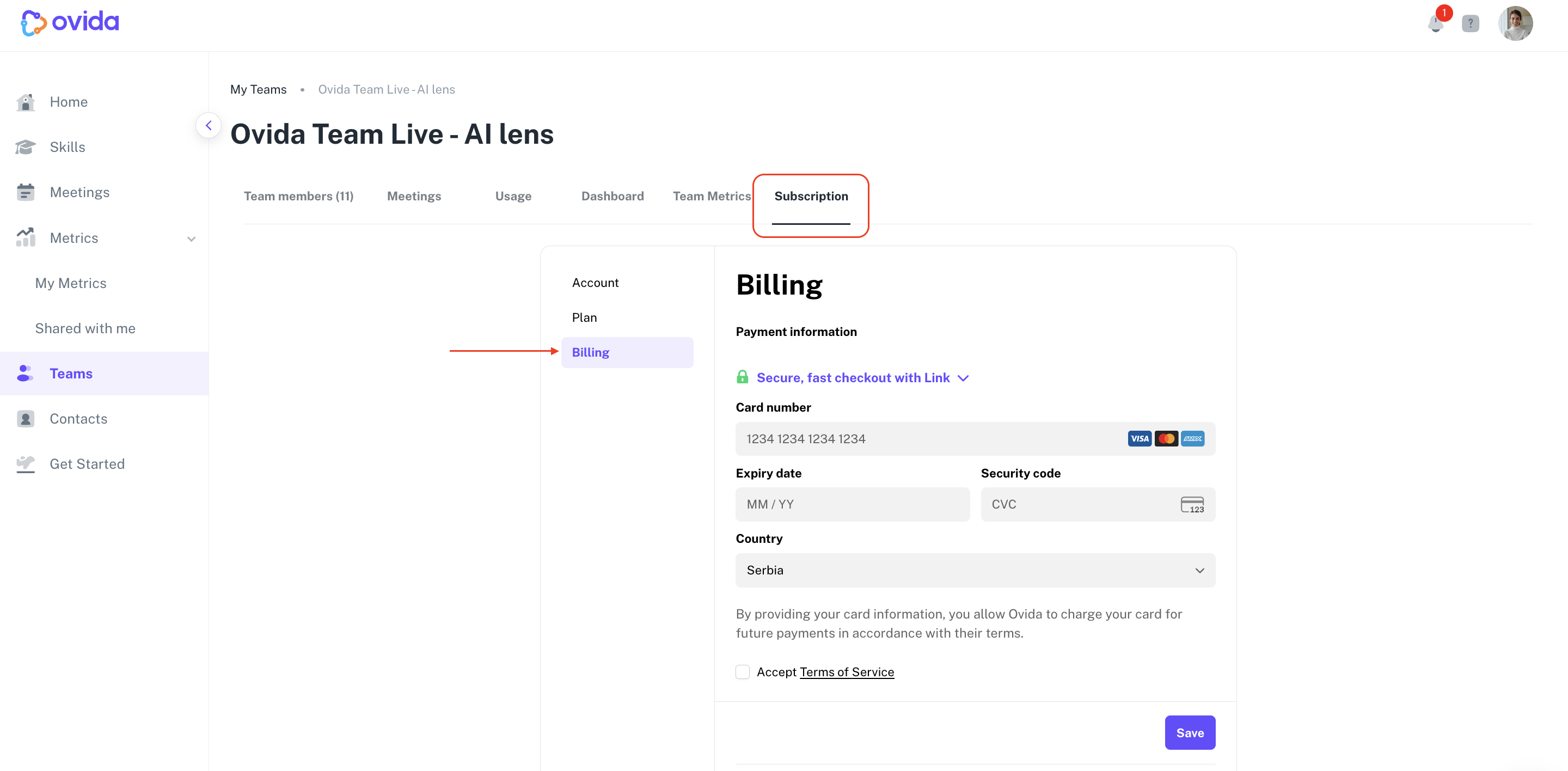
Go to Teams > your team > Subscription > Billing.
Update your card details and click Save.