How do I apply a discount code to my subscription?
Last updated: May 24, 2026
Add a discount code when upgrading or changing your plan.
Discount codes currently apply to Mentor plan subscriptions only. The Mentor plan is no longer available for new sign-ups, but existing subscribers can still apply codes when changing their plan.
Steps
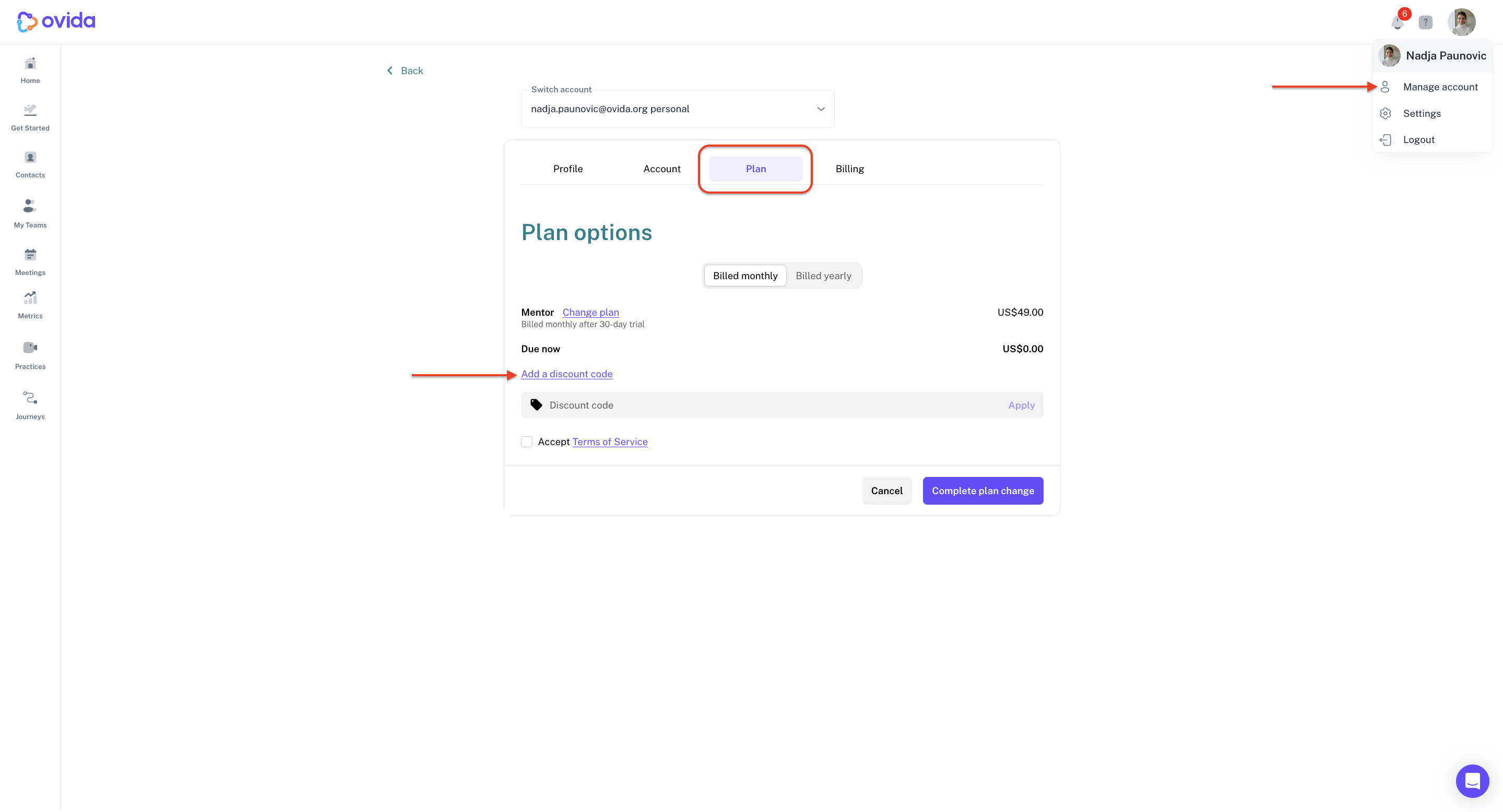
From the user profile menu, click Manage account.
Go to Plan > Change plan.
Select the Mentor plan.
Enter your discount code.
Click Complete plan change to apply.