How do I add a meeting to my calendar?
Last updated: May 25, 2026
Add Ovida meetings to your calendar from the confirmation email, or download the meeting file from Ovida.
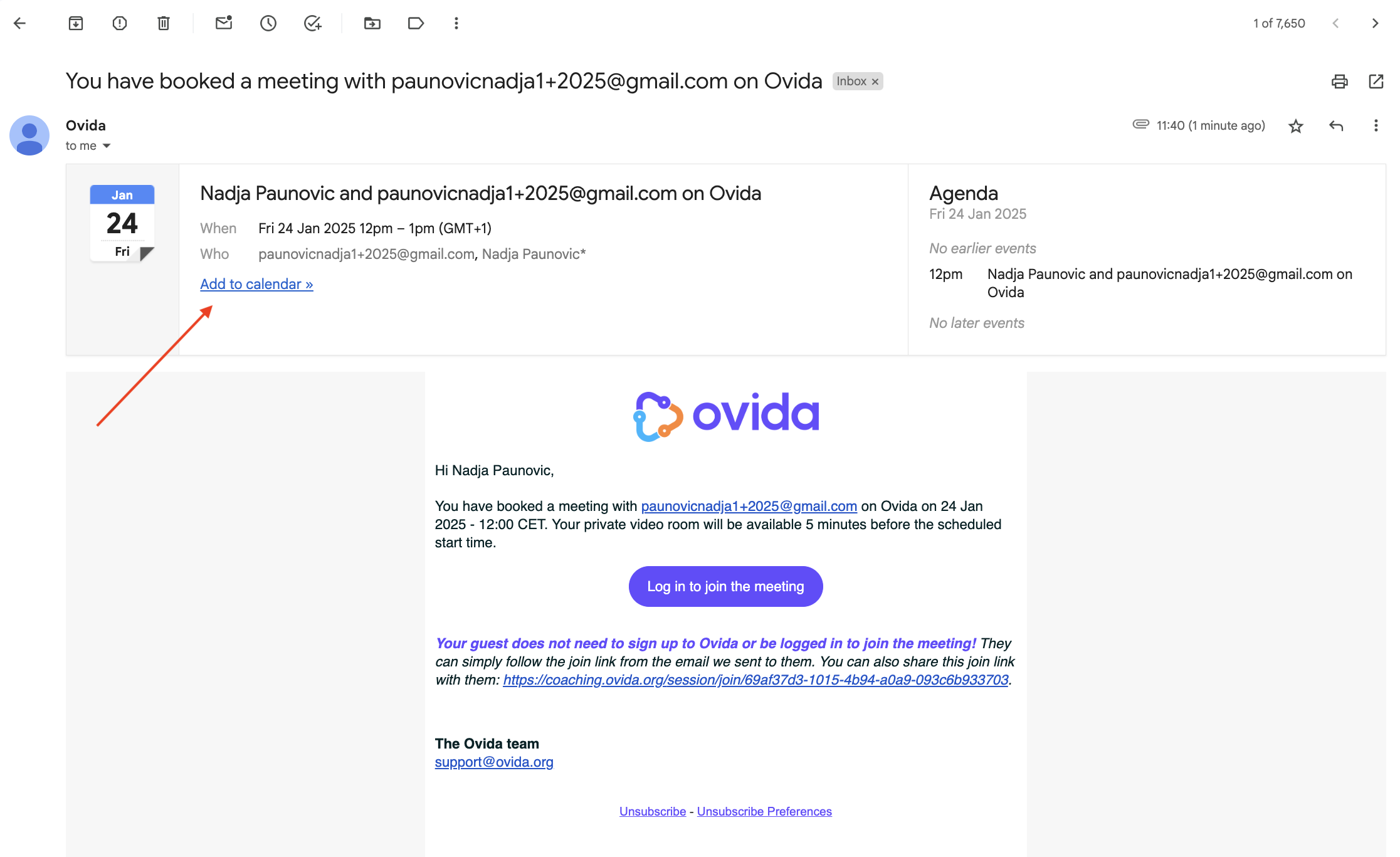
From the confirmation email (easiest)
When you book a meeting, you'll receive a confirmation email structured as a calendar invite. Most email providers will let you click Add to calendar directly from this email.
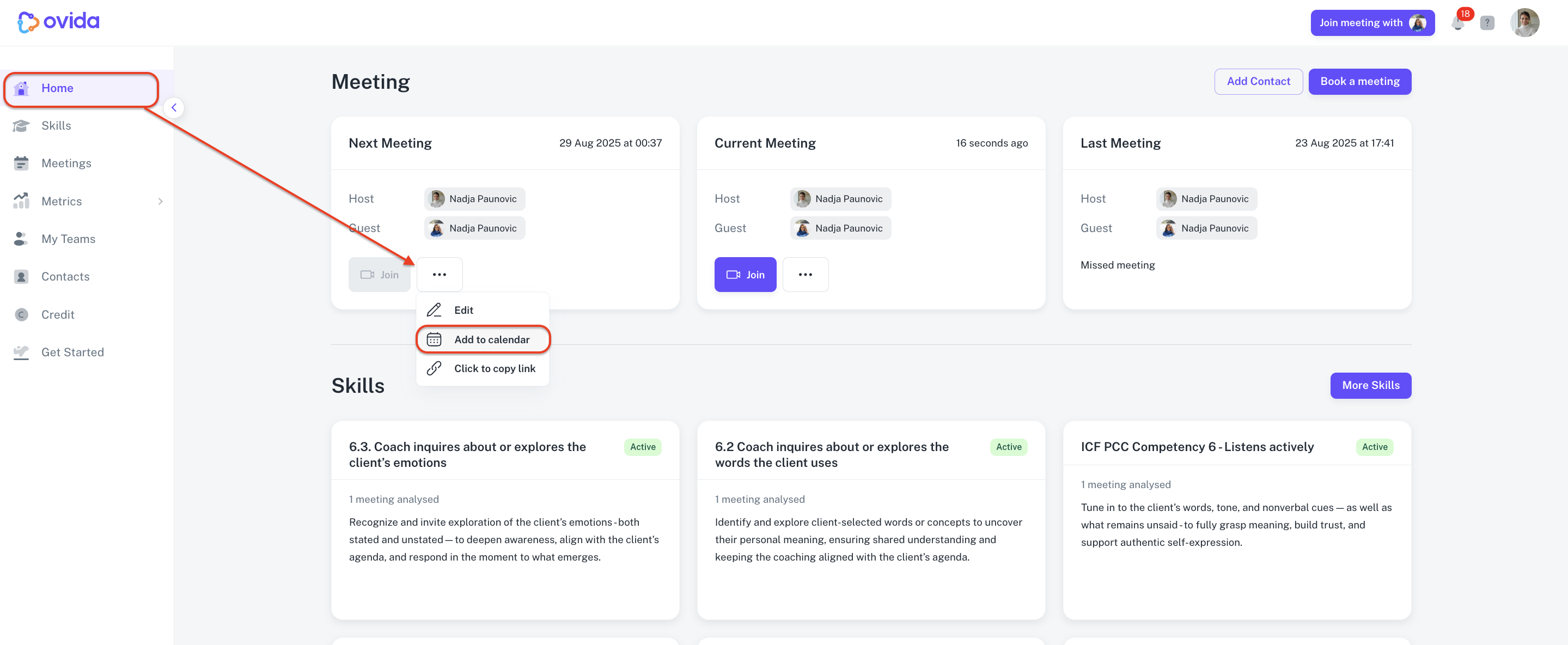
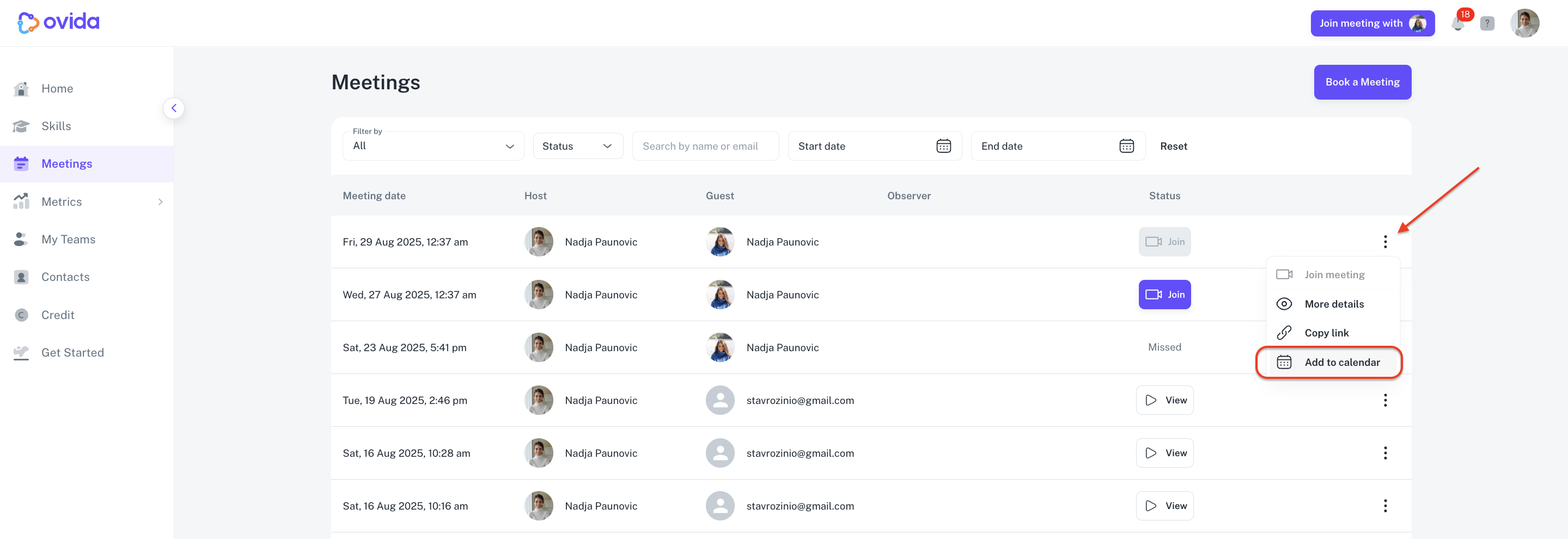
From the Ovida app
You can also download an .ics file for any meeting and import it into your calendar manually.
Home page
Meetings page
ℹ Calendar import differs slightly between Outlook, Google Calendar, Apple Calendar, and others. Check your calendar's help section if you're unsure.