How do I use my Personal Meeting Room?
Last updated: May 25, 2026
Your Personal Meeting Room gives you a single, permanent meeting link you can reuse on demand. Useful when you want to embed the link in calendar invites or kick off impromptu sessions without booking each one in Ovida.
Personal Meeting Room is especially helpful for users who rely on external calendar systems like Outlook or Google Calendar. You can embed the link in your existing events, start meetings instantly, and keep full control over who joins through a secure lobby.
Where to find it
From your Home or Meetings page, you'll see two options:
Book a Meeting: schedule a one-time meeting with a single-use link.
Personal Meeting Room: your reusable, permanent link.
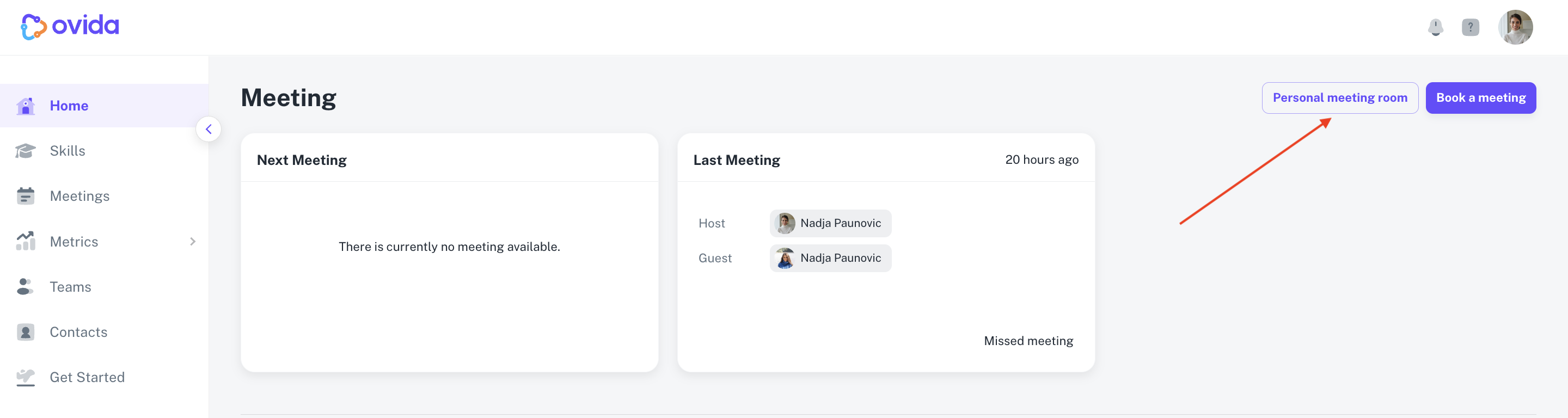
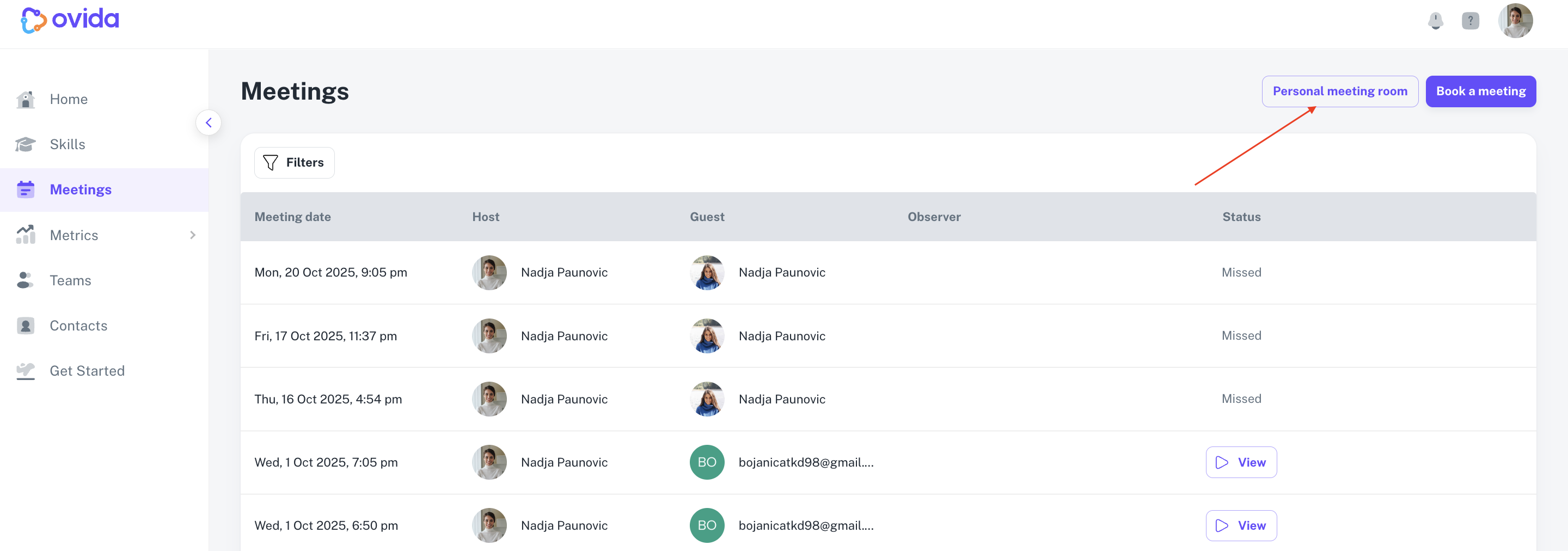
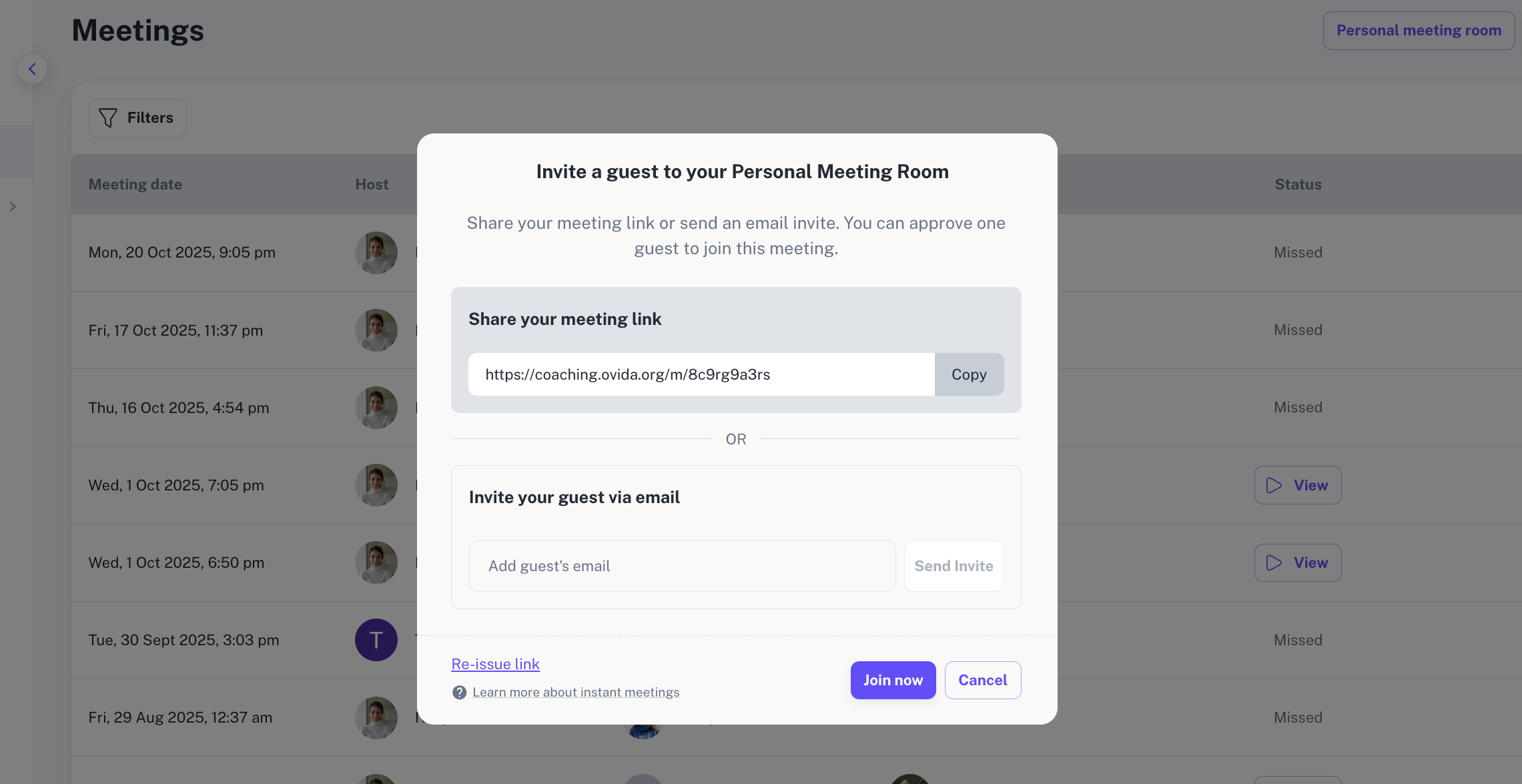
Clicking Personal Meeting Room opens a pop-up with:
Your permanent meeting URL (your Meeting Code)
An option to invite a guest by email (sends an invite immediately)
A Join now button to launch the lobby
A copy option for embedding the link in calendar events
How a Personal Meeting Room session works
Each host has a unique, reusable meeting URL. Each time you click your link to start a meeting, Ovida creates a new session just in time. In the lobby, you allocate that session to a specific team, then the Join button becomes clickable.
When a guest joins via your link, you'll see them waiting in the lobby. You must explicitly admit or reject each participant. Ovida shows a privacy reminder to verify each guest's identity before admitting them.
Once you and at least one guest are in the meeting, the guest list is locked for that session, no new participants can be added. This protects the integrity of the recording.
Your guest's experience
Your guest clicks your meeting link and is taken to a waiting lobby.
If they're not already logged in, they enter their name and email.
You admit them, and they join the secure session.
For more details on the guest experience, see "How do I join a personal meeting room as a guest?"
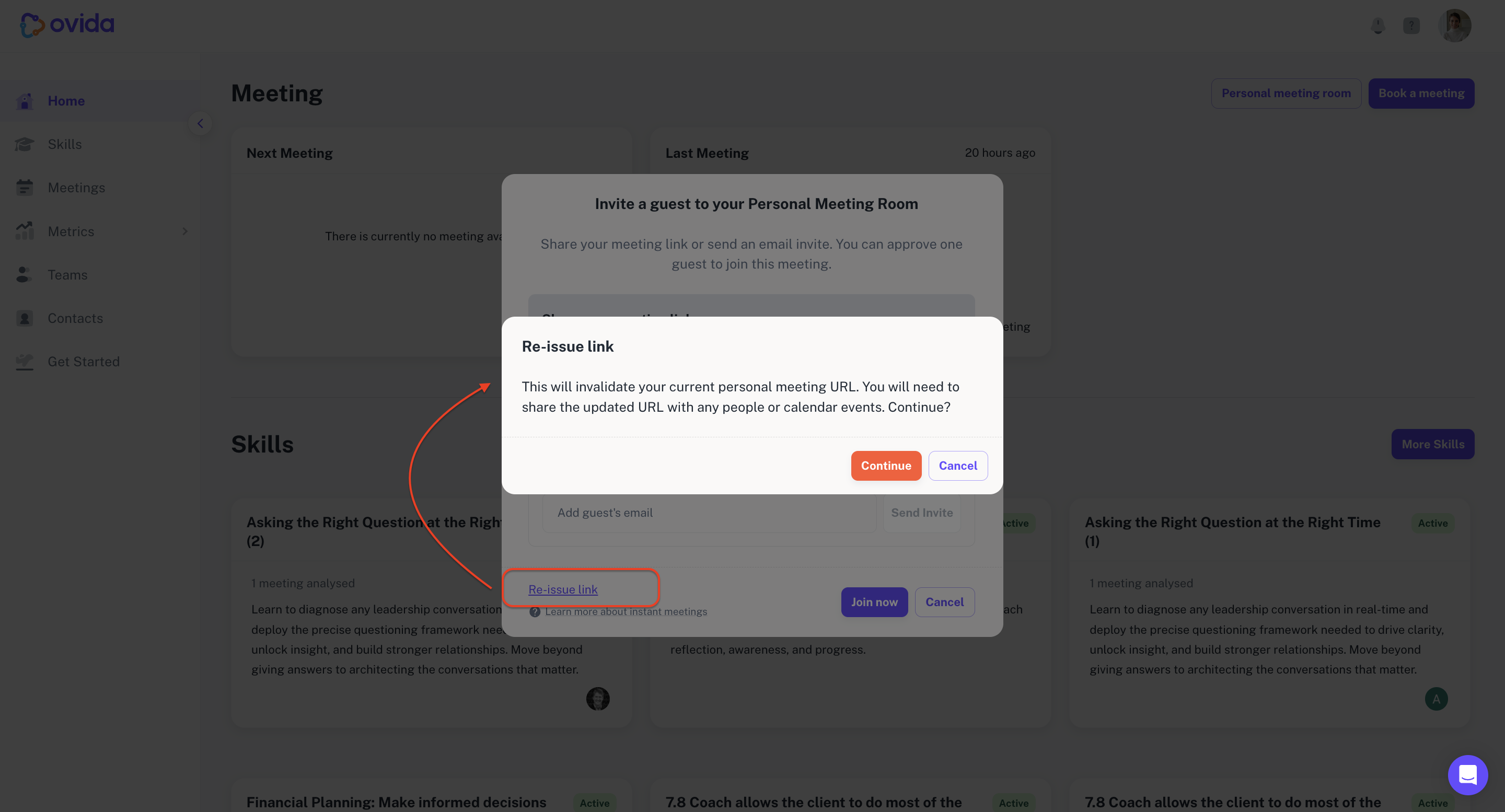
Re-issuing your link
If you ever need to reset your Personal Meeting Room link, you can re-issue it from your account. This generates a new permanent URL and invalidates the old one, so anyone with the old link will no longer be able to use it.
Privacy and data safeguards
Guest list locking. Once a session starts (host plus at least one guest), the guest list locks for that session. To include a different guest, you start a new meeting.
Host responsibility. You verify each guest's identity before admitting them from the lobby. Ovida displays a privacy disclaimer as a reminder.
Email collection. For unauthenticated guests, Ovida captures an email address for lobby identification. This data is handled per Ovida's privacy policy.