What are team metrics?
Last updated: May 25, 2026
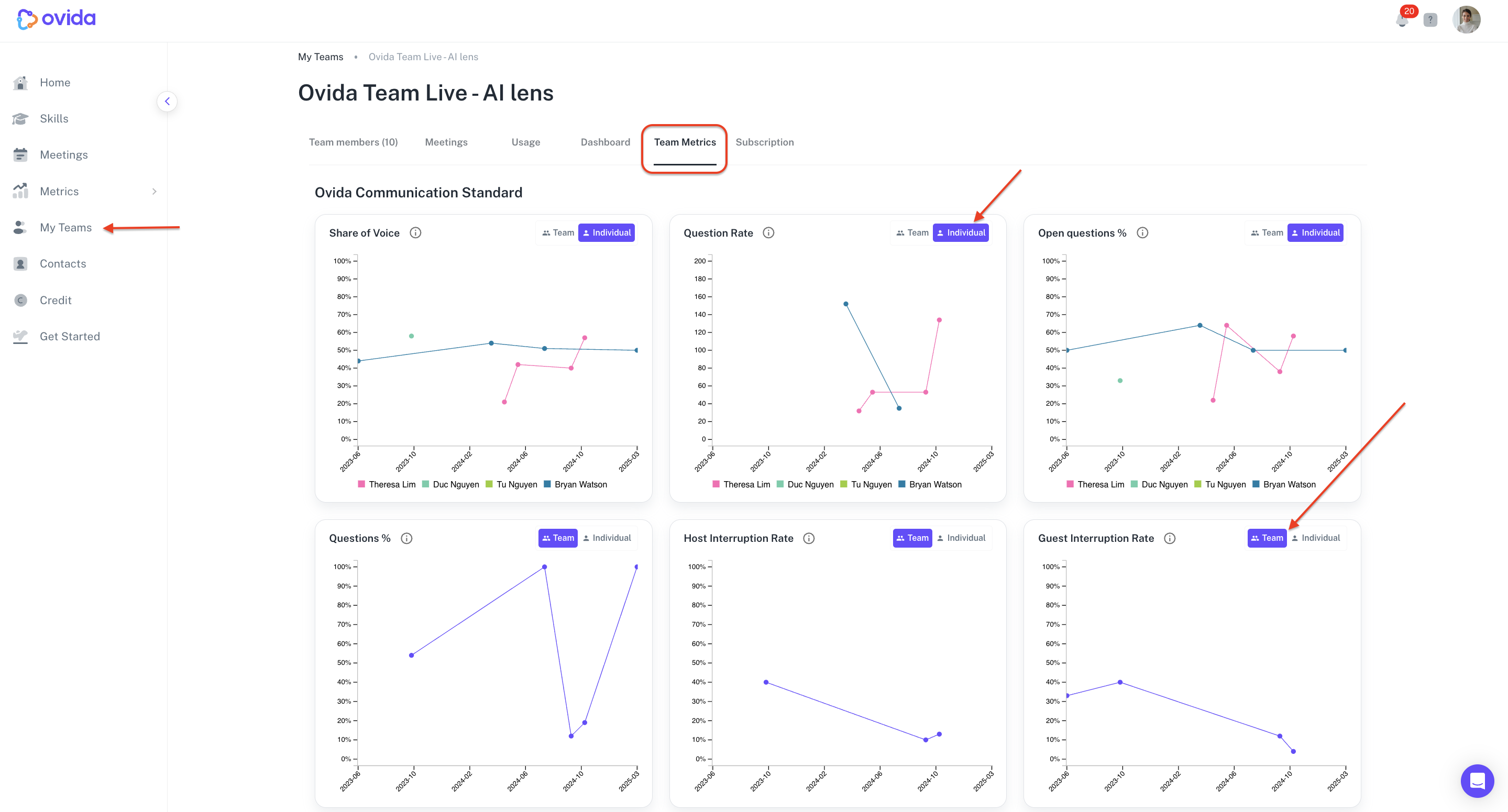
Team Owners and Admins can view communication metrics across their entire team to spot trends, celebrate progress, and identify where extra support helps.
The Team Metrics tab shows the same communication metrics you'd see in your personal Metrics Dashboard, but aggregated across everyone on your team.
How to access
Go to My Teams > select the team you want > Team metrics tab.
Switching between team and individual views
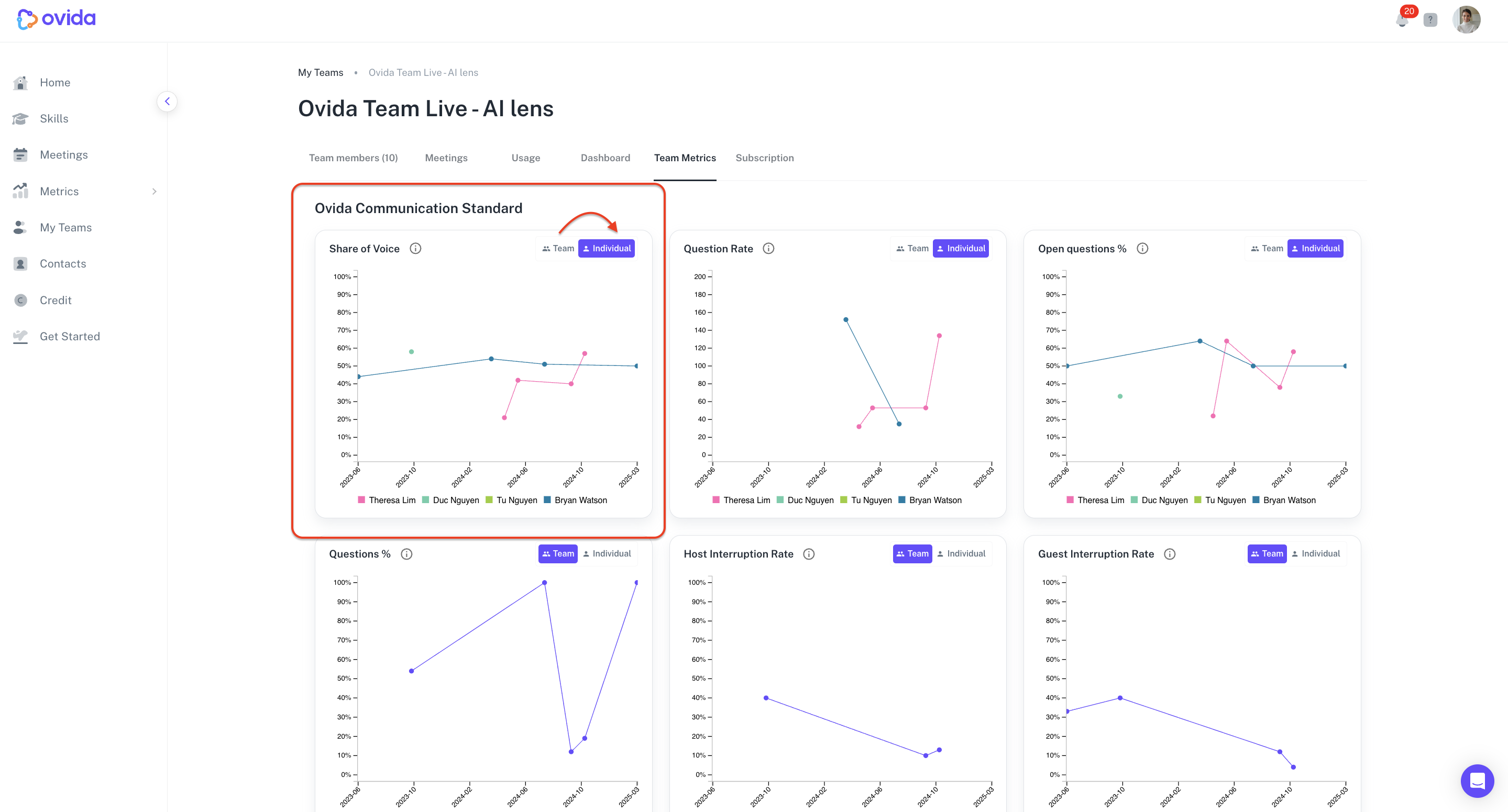
You can toggle between two views:
Team view shows aggregated trends across the whole group
Individual view shows each person's metrics side by side
Switch between them depending on whether you're looking at group-level patterns or individual coaching opportunities.
Filtering individual members
In the Individual view, you can turn the visibility of specific team members on or off by clicking their names. Useful when comparing just a few people from a larger team without visual clutter from everyone else.
What metrics are shown
The Team Metrics tab tracks the same five communication metrics as the personal Metrics Dashboard:
Share of Voice
Question Rate
Open Questions %
Questions % of Sentences
Host and Guest Interruption Rates
For definitions of what each one measures, see "What do my Ovida communication metrics mean?"