How does the Metrics Dashboard work?
Last updated: May 25, 2026
View your communication metrics across all your meetings to spot trends and track progress over time.
The Metrics Dashboard pulls together objective metrics from every meeting you've had, so you can see how your communication is evolving and where to focus next.
Curious what each metric measures? See "What do my Ovida communication metrics mean?" for definitions of each one.
How to access the Dashboard
Go to Metrics > My metrics from the main menu. You'll see an overview of all your meetings with each key metric.
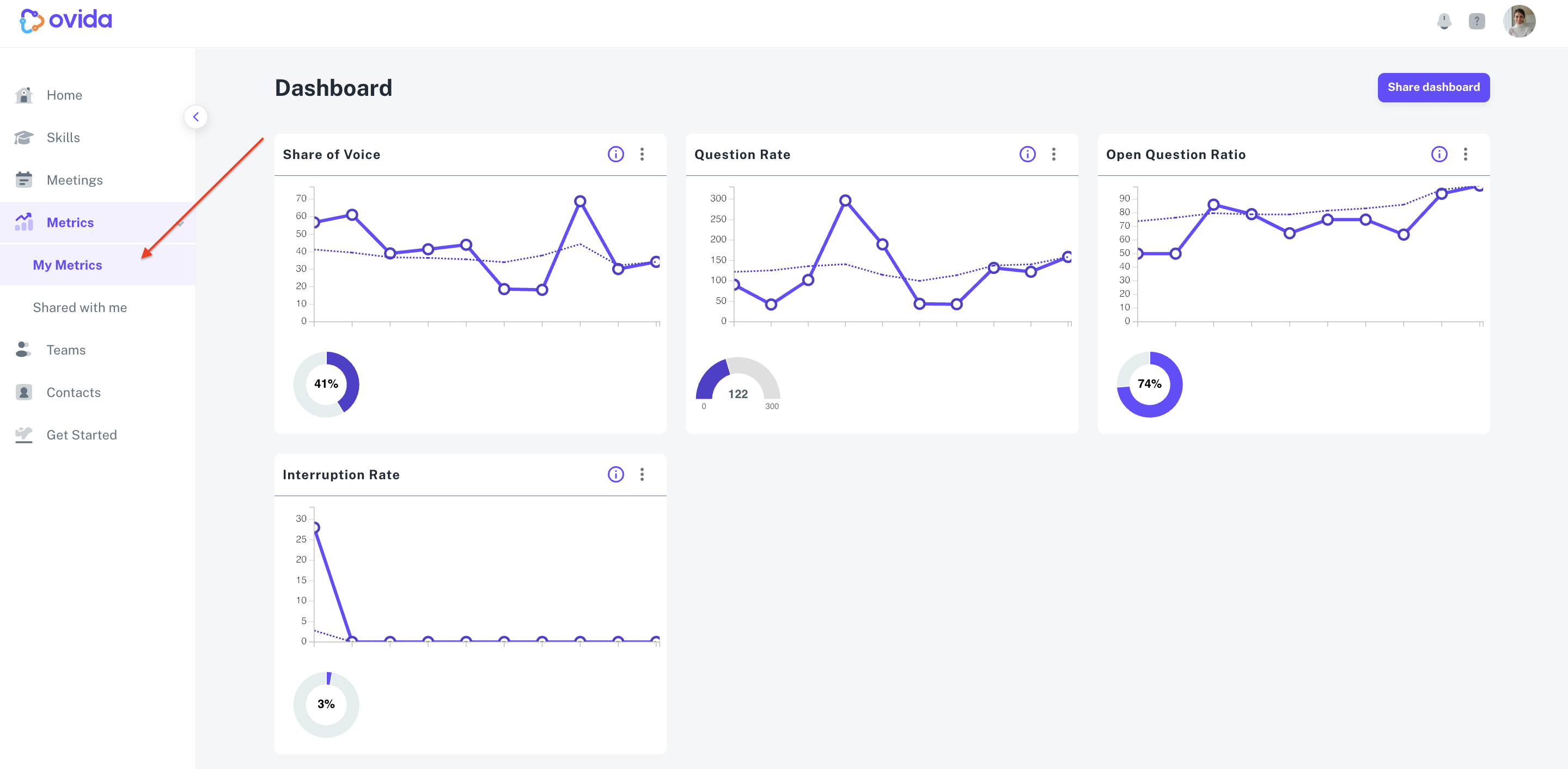
ℹ The dashboard shows your metrics across all your meetings combined. It doesn't break down progress with a specific client over time.
Reviewing your metrics
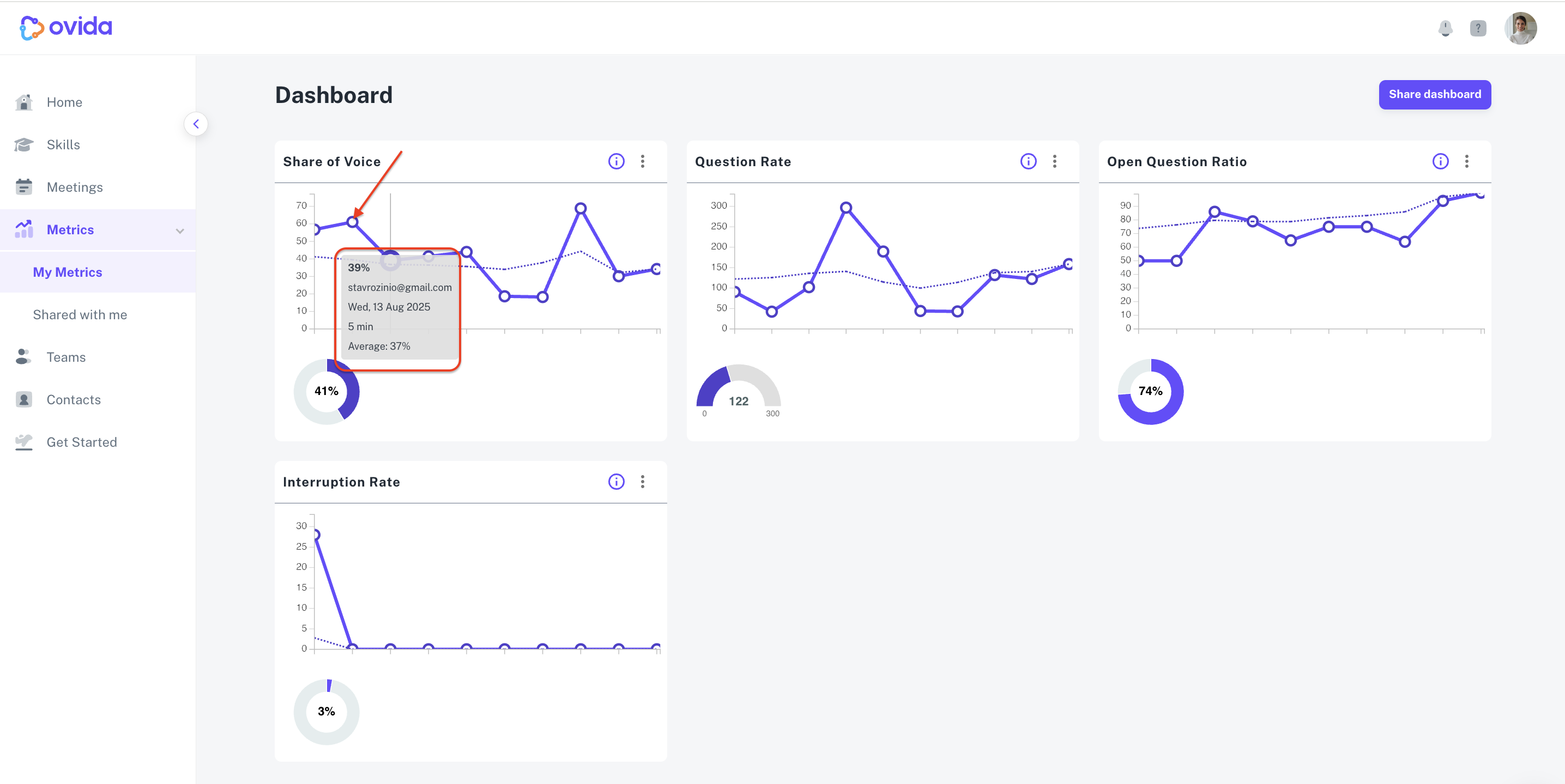
Each metric is plotted alongside the meetings it was recorded in. Hover over the dots to see the value for a specific meeting.
Sharing your dashboard
You can share your dashboard with team members so they can see your progress over time. Only team members can be added as dashboard observers, and sharing the dashboard does not share the meetings themselves.
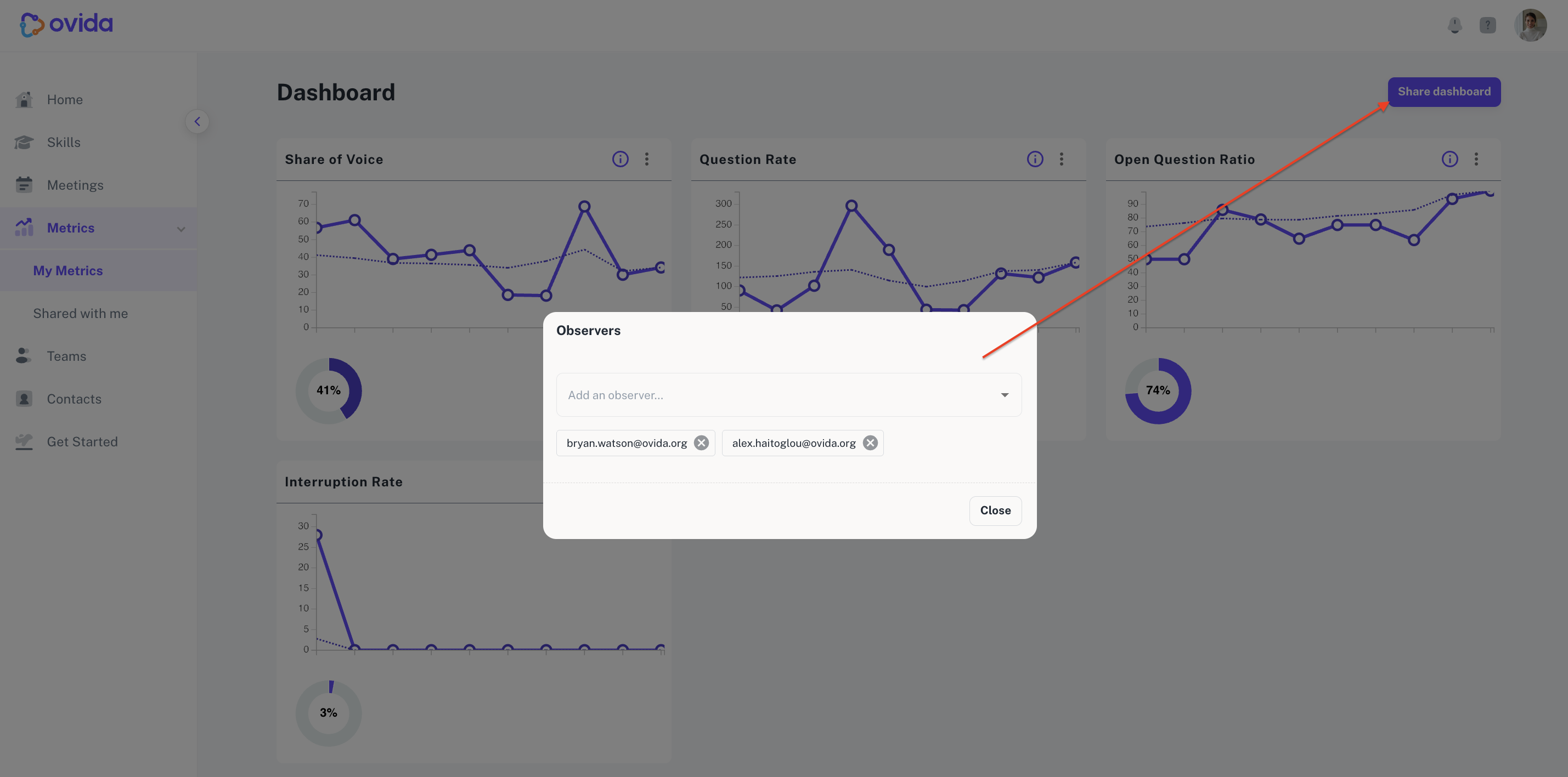
For step-by-step instructions, see "How do I share my Metrics Dashboard with an observer?"