How do I require guest login for all meetings in my organisation?
Last updated: May 25, 2026
An organisation-level setting that requires all guests and observers to log in to their Ovida account before joining any meeting.
By default, guests can join meetings without logging in. This reduces friction for infrequent users. For organisations with stricter security or compliance needs, you can require everyone to log in first.
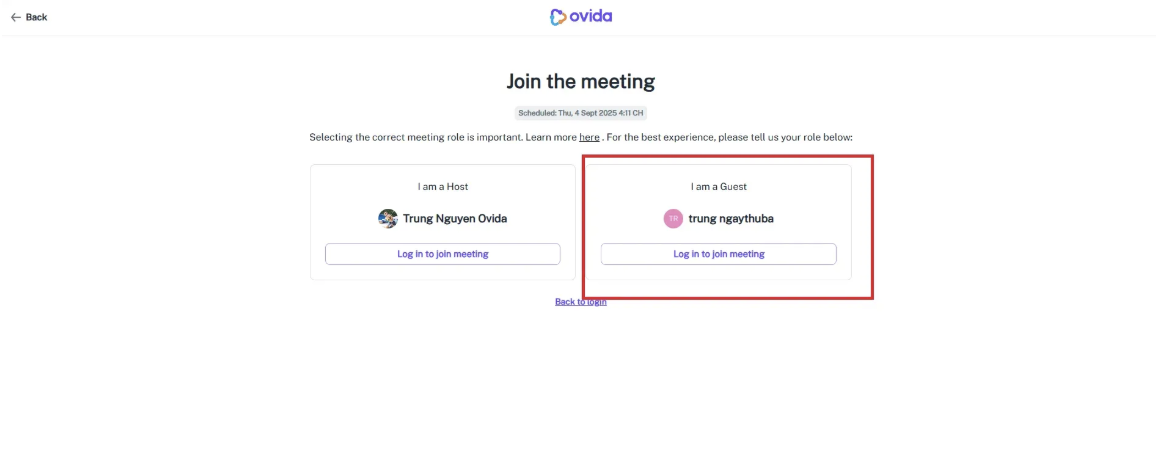
When the setting is enabled, every guest and observer must log in to their Ovida account before they can access any meeting in your organisation. Anonymous joins are blocked entirely.
To enable
This setting is configured at the organisation level. To turn it on, email support@ovida.org and we'll set it up for you.
What this means
For organisation owners: Once enabled, all guests and observers will be required to log in. The setting can be turned off again by contacting support.
For team members: You don't control the setting, but you'll see that guests need to log in when it's been enabled.
For guests: You'll be asked to create an Ovida account (or log in to an existing one) before you can join a meeting.