How do I change my team's name?
Last updated: September 1, 2026
Here's a quick video guide for this article.
Team Owners and Team Admin can change the team name.
Go to Settings at the bottom left corner of your screen
Under Team Settings click Joined Teams
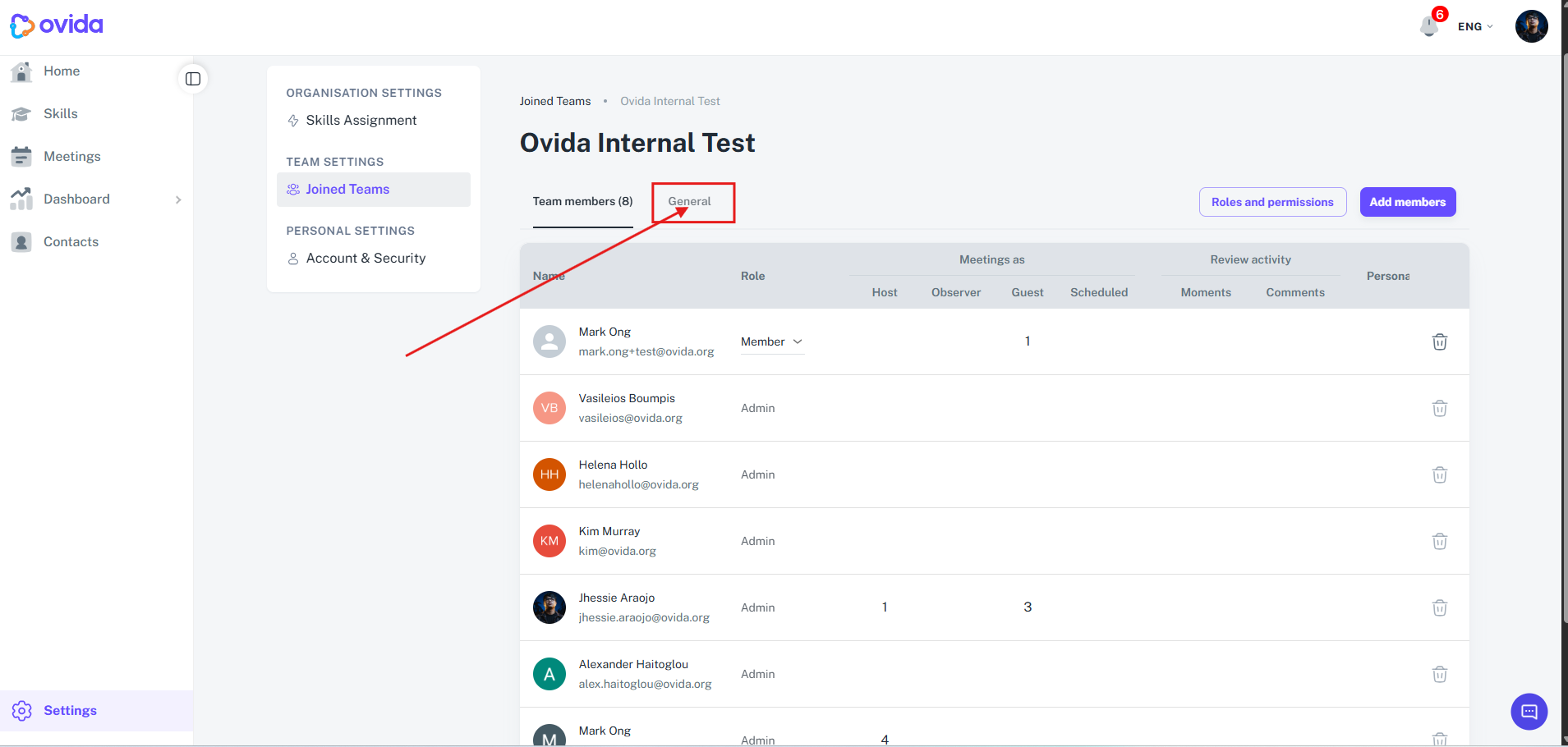
Select the team where you're an Admin or Owner, then click the team name.
Click the General tab.
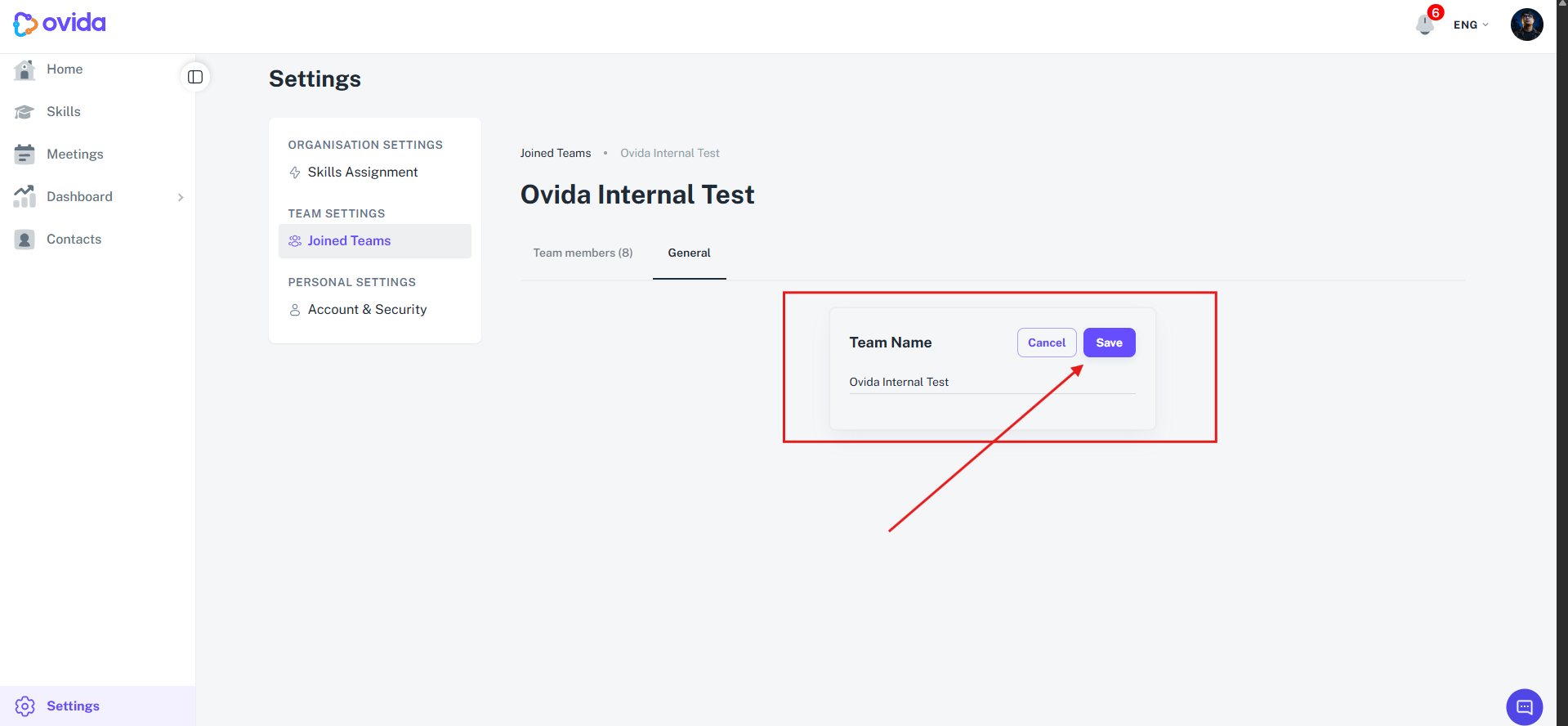
Click into the team name field, enter the new name, and click Save.
The change takes a minute to register across the platform.