How do I grant temporary access to Ovida technical support?
Last updated: May 25, 2026
If you experience an issue with a meeting, you can give Ovida's support team read-only access to investigate, with an automatic 7-day expiry.
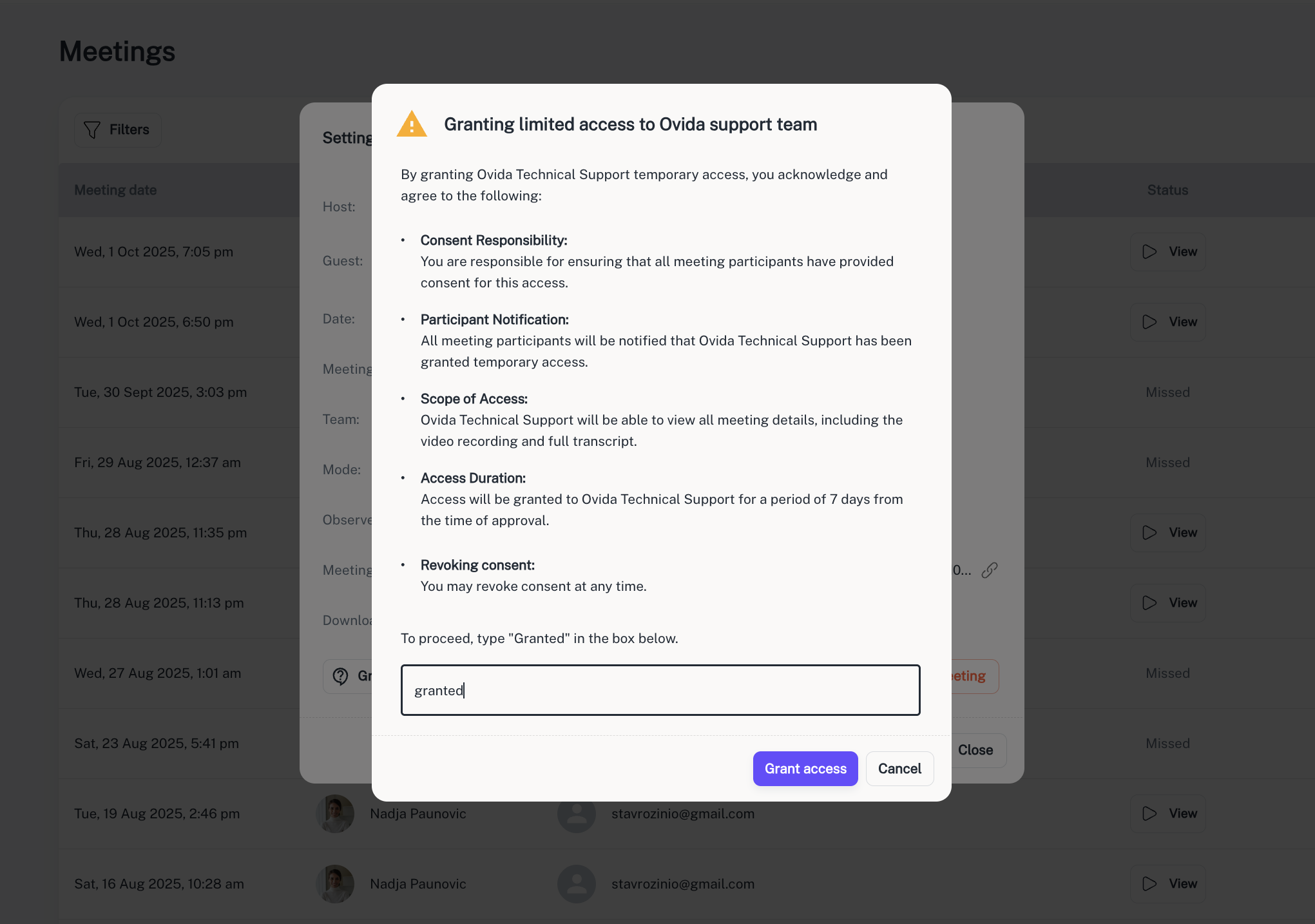
The Temporary Access feature lets you securely share a specific session with Ovida's technical support team for troubleshooting. The access is read-only and automatically expires after 7 days.
When to use this
If you experience a technical issue during or after a meeting that requires Ovida's support team to look at the session directly, use this feature to grant them temporary access to that one meeting.
Steps
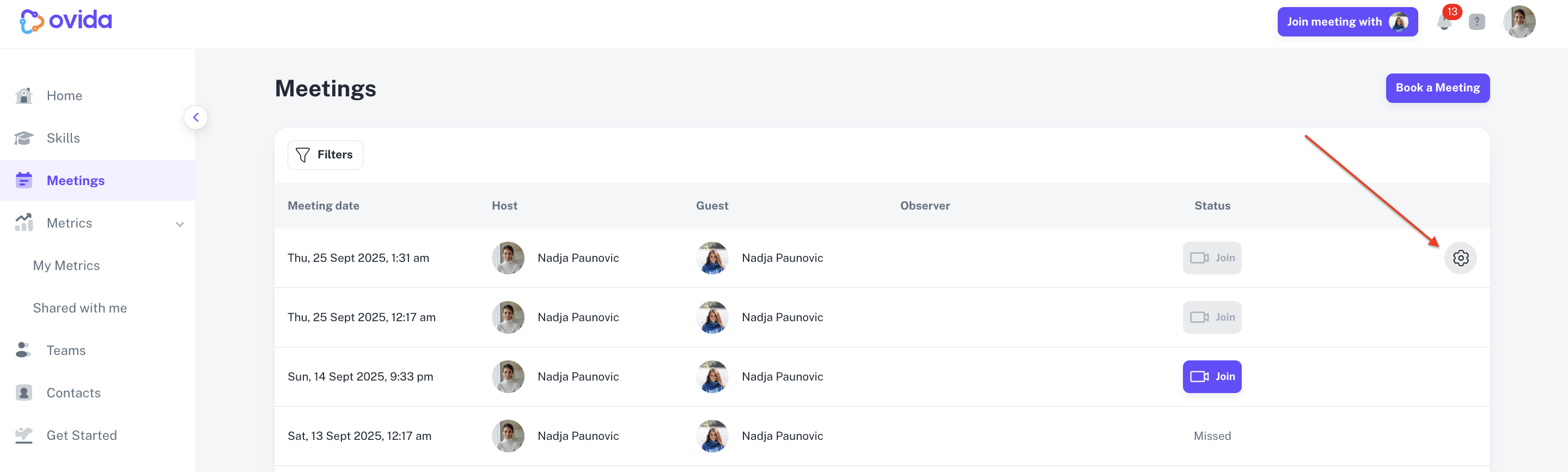
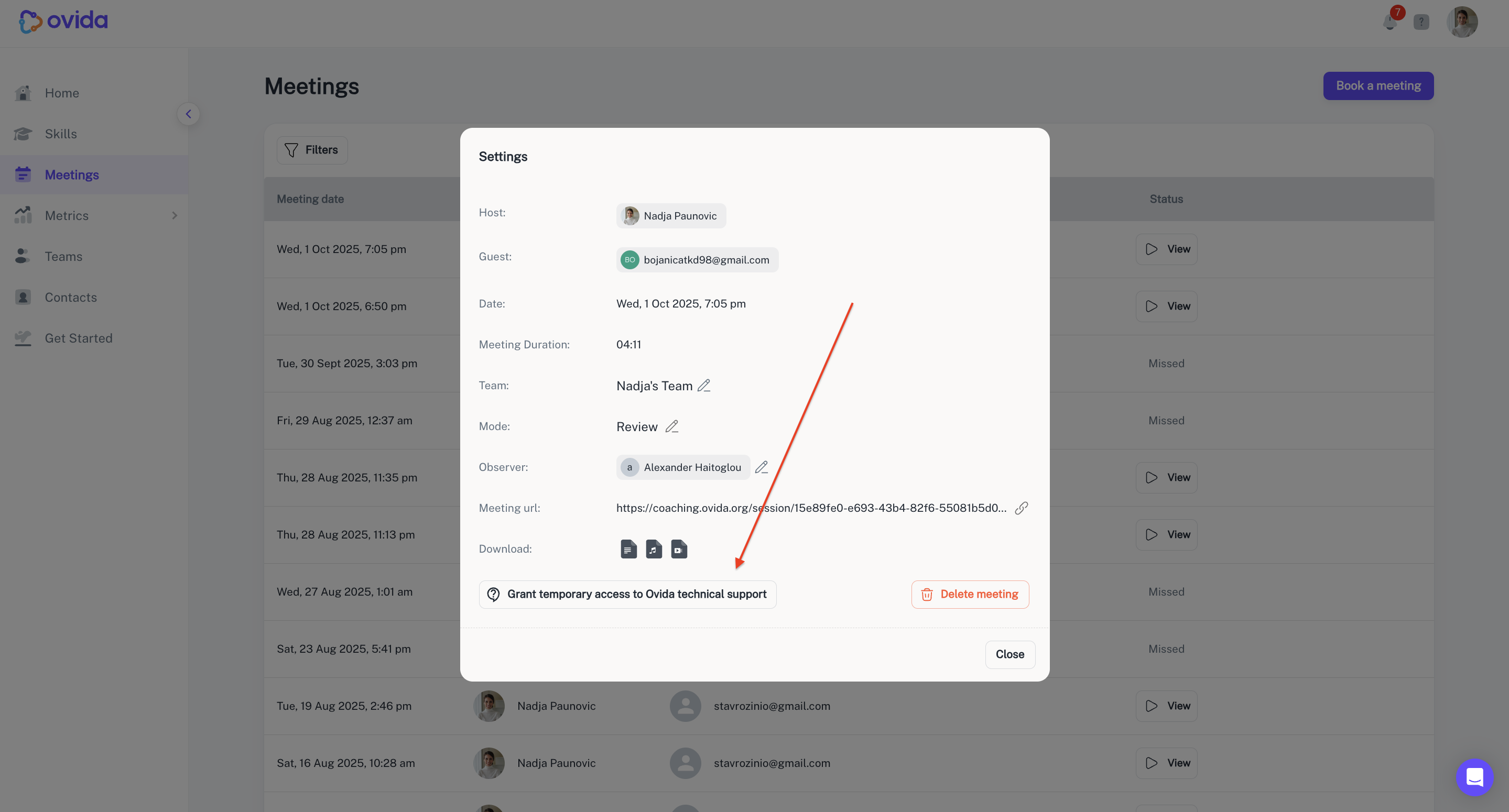
From the Meetings page, go to the meeting's Settings > Grant temporary access to Ovida technical support. Type Granted to confirm, then click Grant access.