Why do I need to complete my profile before starting a skill?
Last updated: September 9, 2026
Ovida uses a few details about your role and situation to make feedback specific to you, and it now asks for them before your first skill.
Feedback on a conversation depends on what you were trying to do. A few details about your role and the people you work with let Ovida tell you something useful rather than something generic.
What happens
When you start a skill with those details missing, Ovida shows a Complete your profile box. It is one free-text field, not a form: write a few lines about your role and the people you work with, then choose Save. The skill you were opening continues from where you left off.
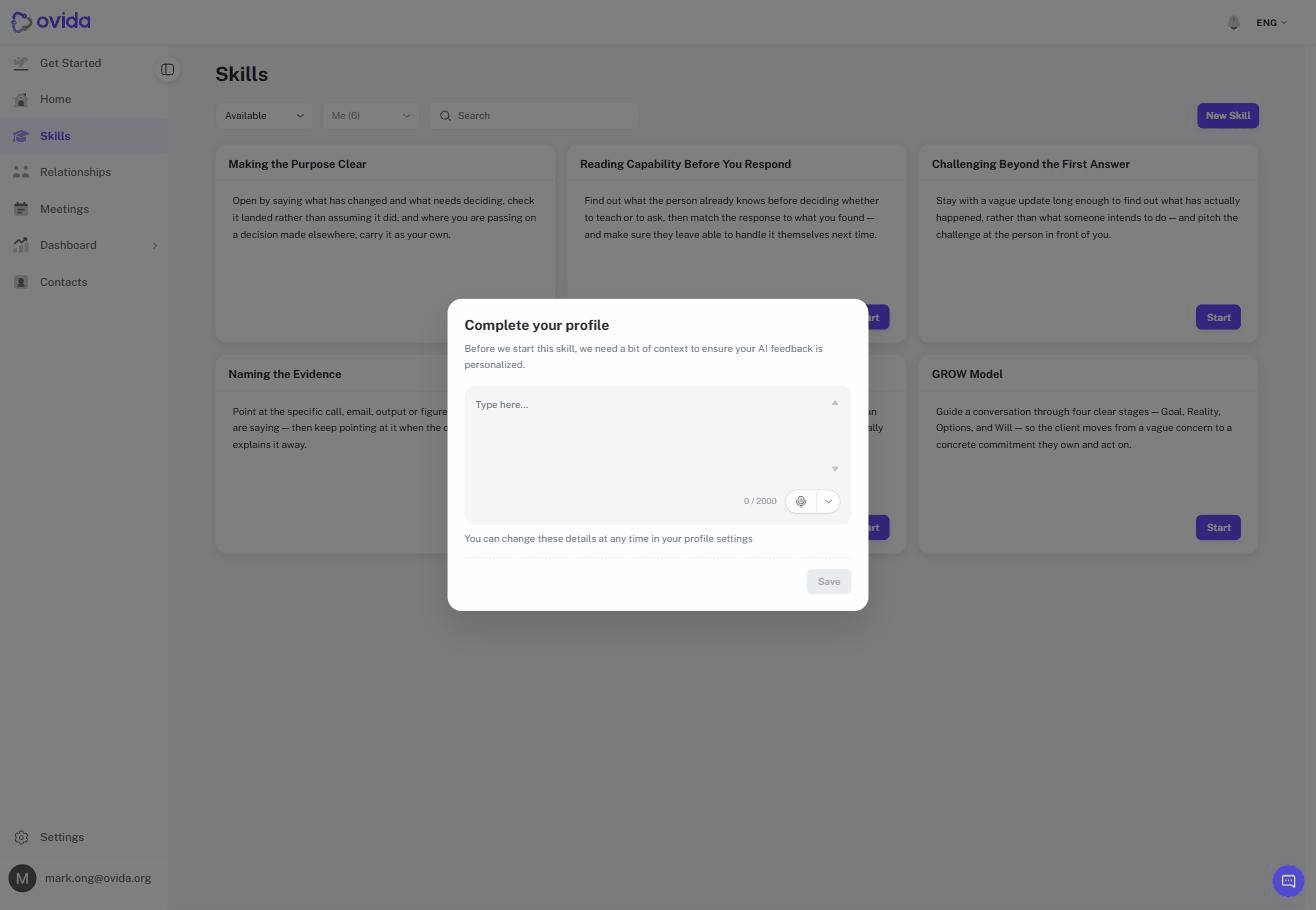
The prompt no longer offers a way to turn it off permanently, so it will keep appearing until the details are there.
Changing the details later
Your profile stays editable. Go to Settings, then Account & Security, and edit Professional Bio. Nothing you enter here is locked in, and the box itself says so.